


9 Best Python Certification, Course & Training Online [2018 UPDATED]
Posted on September 3rd, 2018
A global team of 50+ Experts have compiled this list of 8 Best Python Certification, Course, Training, Class & Tutorial available online for 2018. These resources will help you Learn Python from scratch, and are suitable for beginners, intermediate learners as well as experts.
Contents
- 1. Python Certification from University of Michigan (Coursera)
- 2. Complete Python Bootcamp: Go from zero to hero in Python (Udemy)
- 3. Complete Python Masterclass (Udemy)
- 4. Python for Data Science and Machine Learning
- 5. Automate the Boring Stuff with Python Programming
- 6. The Python Mega Course: Build 10 Real World Applications
- 7. The Python Bible™ | Everything You Need to Program in Python
- 8. The Complete Web Developer Course 2.0
- 9. Python Certification from edX
1. Python Certification from University of Michigan (Coursera)
This Best Python certification will teach you how to Program and Analyze Data with Python. You will learn how to develop programs to gather, clean, analyze, and visualize data. Made up of a 5 course series, this online program is taught by Charles Severance, Associate Professor at University of Michigan. Learn fundamental concepts like data structures, networked application program interfaces and databases and it will all be followed by the the Capstone Project, where you will be made to create your own applications for data retrieval, processing, and visualization.
The 5 Courses that make up this program are –
– Programming for Everybody (Getting Started with Python)
– Python Data Structures
– Using Python to Access Web Data
– Using Databases with Python
– Capstone Project : Retrieving, Processing, and Visualizing Data with Python
Rating : 4.8 out of 5
Review – A very clarifying course indeed! Very instructive exercises and efficient interaction among colleagues and mentors in the forum.
2. Complete Python Bootcamp: Go from zero to hero in Python (Udemy)
This is undoubtedly the Best Python course out there. 230,000+ students have attended this program and it enjoys a massive positive rating of 4.5 out of 5. 12.5 hours of on demand video + 17 articles accessible anytime anywhere forever. The trainer Jose Marcial Portilla is widely renowned for his knowledge and online teaching skills. With a BS and MS from Santa Clara University, he is a master trainer for programming and Data Science. He has trained employees of organisations such as General Electric, Cigna, The New York Times and many more. You will receive a Udemy certificate after completing the course.
In this course, you will learn –
– Both Python 2 and Python 3
– Creating games with Python (Tic Tac Toe and Blackjack
– Learn advanced Python features (collections module and working with timestamps)
– How to use Object Oriented Programming with classes
– Learn to use Jupyter Notebook and create .py files
– Learn to create GUIs in Jupyter Notebook system
– Object Oriented Programming ; Errors and Exceptions Handling
[responsive_video type=’youtube’ hide_related=’1′ hide_logo=’0′ hide_controls=’0′ hide_title=’0′ hide_fullscreen=’0′ autoplay=’0′]https://www.youtube.com/watch?v=jPivx7gNloY[/responsive_video]
Rating : 4.5 out of 5
You can Sign up Here
Review – Excellent intro to Python, covering a range of different fields/applications. Pace is just right and Jose’s instruction is very good – he moves through steadily & patiently, with interesting asides about real-world applications & usage tips. I’d definitely recommend the course to others and have already signed up to another of his.
3. Complete Python Masterclass (Udemy)
Tim Buchalka and Jean-Paul Roberts have together taught over 400,000 professionals and students online! They are both expert developers and teachers, which is why their courses are much sought after and highly recommended by attendees. In an extensive course spanning 38.5 hours, you will learn step by step how to master Python.
You will learn about –
– Demystifying data structures and accessing the web with Python
– Program Flow Control in Python
– Lists, Ranges & Tuples in Python
– The Binary number system explained
– Python Dictionaries and Sets
– Modules and Functions in Python
– Object Oriented Python
– Generators, Comprehensions and Lambda Expressions
[responsive_video type=’youtube’ hide_related=’1′ hide_logo=’0′ hide_controls=’0′ hide_title=’0′ hide_fullscreen=’0′ autoplay=’0′]https://www.youtube.com/watch?v=yQKCgOq5E74[/responsive_video]
Rating : 4.5 out of 5
Review – Tim is great! He’s engaging and fun, and definitely has the “it” factor in terms of teaching. JP is responsive to all questions and very helpful when you need a little more understanding. The best part is you can replay and replay videos until the concepts sink in, and you can return to the course whenever you need a refresher on a certain subject. – Casey Mendenhall
4. Python for Data Science and Machine Learning
Through this program, you will learn how to use Python to analyze data, create beautiful visualizations and use powerful machine learning algorithms. The creator, Jose Portilla, a BS and MS in Engineering from Santa Clara University will help you understand how to use Python to analyze data, create beautiful visualizations and use powerful machine learning algorithms. 21.5 hours+ of action packed lectures have been attended by over 100,000 students across the globe.
You will learn –
– To use NumPy, Pandas, Plotly , Scikit-Learn, Seaborn , Matplotlib, Tensorflow and much more
– Regularly updated course available with subtitles in multiple languages
– Learn about K means clustering and Linear Regression
– Also learn about Random Forest, Decision trees and Logistic Regression
– You get 21.5 hours of on demand video, 10 articles and 4 supplemental resources
Rating : 4.5 out of 5
Review : The best instructor i have ever seen and the Question and Answer forum has an immediate response. i love his teachings. Thank you sir. But i would like to suggest in MNIST lecture. i watched thrice, but i couldnt understand those 3 lectures, please update those lectures. but at the end, contriblearn made me satisfied. i was very confused about tensorflow. but in the end, i completely understood. hope you continue your lecture series. i want to learn more courses from you. – Chennakeshav Rao K
5. Automate the Boring Stuff with Python Programming
Al Sweigart is a regular speaker at Python conferences, has written four books on Python Programming and works as a software developer based in San Francisco. Over the years, he has taught thousands of adults and children about Python and his books are even available for free use. With a very special high rating of 4.7 on 5, he is undoubtedly one of the best trainers on the subject. This course has been specially made to help office workers, academicians and administrators improve their productivity by writing simple Python programs.
[responsive_video type=’youtube’ hide_related=’1′ hide_logo=’0′ hide_controls=’0′ hide_title=’0′ hide_fullscreen=’0′ autoplay=’0′]https://www.youtube.com/watch?v=1F_OgqRuSdI[/responsive_video]
You will Learn to –
– Programmatically update Excel spreadsheets
– Parse PDFs and Word documents
– Crawl web sites and pull information from online sources
– Write programs to automatically send out email notifications
– Automate mouse and keyboard to click and type
Rating : 4.6 out of 5
Review – The power and versatility of Python as a programming language is unreal, and Mr. Sweigart shows you why. His examples are easy to follow and reproduce. His speech also has a good tempo, making it easy is to understand, even when sped up. Some of my favorite sections include: Regular Expressing, Web Scraping and OS. – Julio Lucero
6. The Python Mega Course: Build 10 Real World Applications
Ardit Sulce holds a master’s degree in Geospatial Technologies from the Institute of Geoinformatics at University of Muenster, Germany and is a well renowned Python expert globally! He is also the founder of ‘PythonHow’ helping people get better at Python. In this Python tutorial spanning 23.5 hours, he will cover databases, web scraping, image processing, data science, web visualizations and even more!
[responsive_video type=’youtube’ hide_related=’1′ hide_logo=’0′ hide_controls=’0′ hide_title=’0′ hide_fullscreen=’0′ autoplay=’0′]https://www.youtube.com/watch?v=sm2Dr9wE93M[/responsive_video]
You will learn –
– To develop complex Python 3 applications
– Build 10 real life Python applications
– Learn to use Python with Flask
– Learn to build desktop applications with Tkinter
– Demystify scientific computing with Python and Numpy
– Build interactive web maps using Folium
Rating 4.4 out of 5
Review – Perfect course for everyone who wants to learn and understand python. The trainer has very good knowledge of the subject and has structured the course very well. I totally recommend this course to everyone! – Vibhor Sharma
7. The Python Bible™ | Everything You Need to Program in Python
It’s fun. It’s crisp. It’s comprehensive. Ziyad Yehia is a master trainer and has taught at International Colleges along with teaching online. This super course by him is all project oriented and has earned the respect of all his attendees! He will take you on a roller coaster ride while making you build 11 Projects to help you go from beginner to pro in python.
[responsive_video type=’youtube’ hide_related=’1′ hide_logo=’0′ hide_controls=’0′ hide_title=’0′ hide_fullscreen=’0′ autoplay=’0′]https://www.youtube.com/watch?v=H3duIi-CTpo[/responsive_video]
Specifically you will learn about –
– Logic and Conditional Flow
– Using Python Datastructures
– How to use Loops In Python
– Functions in Python
– Object Oriented Programming (OOP)
Rating : 4.6 out of 5
Review – If you are new to Python, this is the class for you. You will see some lower ratings from those who I’m guessing have programming or some related experience, but the slow pace is necessary for beginners. Other instructors on Udemy should take a lesson from this class, as speeding through the fundamentals, not reviewing concepts and not using real-world examples makes it very difficult for others to learn. – Christopher Lough
8. The Complete Web Developer Course 2.0
If you don’t just want to master Python but want to become an expert at the entire host of languages, then this one’s perfect for you. 150,000+ students have already benefited from this web development tutorial and enjoys a high approval rating of 4.6 out of 5. Rob Percival is your coding geek who has also studied Mathematics from Cambridge University! He offers 30 hours of high quality content in this action packed course that will surely leave you deeply satisfied.
[responsive_video type=’youtube’ hide_related=’1′ hide_logo=’0′ hide_controls=’0′ hide_title=’0′ hide_fullscreen=’0′ autoplay=’0′]https://www.youtube.com/watch?v=giVLeiBgx9A[/responsive_video]
You will learn –
– All about HTML 5, CSS 3, Javascript, jQuery, Bootstrap 4, WordPress, PHP, MySQL among other platforms
– Introduction to Python
– Variables, Arrays, Loops, Functions, If Statements in Python
– How to build HTML based mobile apps
– Front end development
– Bidding for freelance development projects
– Applying for role of a junior developer
Rating : 4.6 out of 5
Review – The way it was taught, very systematic. Mr.Rob Percival really put himself to shoes or the perspective of a COMPLETE beginner students. He started from the “ABC’s” of coding and showing the students the big picture and going down to the every basic details of the subject. Which is how teaching should be to benefit the students completely. – Zaldy B
9. Python Certification from edX
You can learn Python from a host of institutions such as Microsoft, UTARlingtonX, UCSanDiegoX and even HarvardX on online education platform edX. All these programs cover various aspects of Python and you can choose one based on your criteria. Some of the programs are – Introduction to Python by Microsoft, Introduction to Programming using Python by UTArlingtonX, Python for Data Science by UCSanDiegoX, Using Python for Research by HarvardX and many others.
Rating : 4.6 out of 5
Bonus Courses :
10. Introduction To Python Programming Free Course
First things first, and the best part is that this is a free python course! A crisp intro into python programming, it has been created by Avinash Jain, a young 17 year old who’s been programming for 7 years already! He has taught over 130,000 students already and maybe you will be the next lucky one 🙂
In this free Python course, he will teach you –
– Arithmetic Operators
– Placeholders in Strings
– Dictionaries, Tuples, For Loops, While Loops
– Object Oriented Programming
Rating : 4.4 out of 5
Review – Nice voice, nice explanations. Going through basics and learning how to code neat is essential to have good habits in coding and knowing how to do it in right way. Well done! – Peter Milivojevic
So that folks was our take on Best Python tutorials, classes, courses and certifications that you can enroll for online. We hope you found what you were looking for. You may also be interested in checking out data scientist certification, machine learning course, JavaScript Certification and machine learning certification. You can sign up to our newsletter to get updates about more such courses in your mail or search our site in case you are looking for courses on any other subject.
Content retrieved from: https://digitaldefynd.com/best-python-tutorial-class-certification-course-training-online/.
9 Best Machine Learning Certification & Training [2018 UPDATED]
Posted on August 29th, 2018
Our team of global experts has done in depth research to come up with this compilation of Best Machine Learning Certification, Tutorial & Training for 2018. All these resources to learn Machine Learning are available online and are suitable for beginners, intermediate learners as well as experts
Contents
- 1. Machine Learning Certification by Stanford University
- 2. Machine Learning Tutorial A-Z™: Hands-On Python & R In Data Science
- 3. Python for Data Science and Machine Learning Training
- 4. Machine Learning Certification by University of Washington
- 5. Data Science, Deep Learning, & Machine Learning Tutorial with Python
- 6. Advanced Machine Learning Certification by Higher School of Economics
- 7. Data Science Specialization – John Hopkins University
- 8. Data Science and Machine Learning Tutorial with R
- 9. Data Science with Python – University of Michigan
1. Machine Learning Certification by Stanford University
This is one of the most sought after certifications out there because of the sheer fact that it is taught by Andrew Ng, former head of Google Brain and Baidu AI Group. For a certification to receive a rating of 4.9 out of 5 is no mean feat and the fact that it is associated with Stanford University simply adds much more credibility to the program. The topics that will be covered include Supervised learning, Unsupervised learning, best practices in machine learning and the program structure will be based around multiple case studies and applications, to help you learn how to apply algorithms to build smart robots, text understanding, medical informatics, database mining and other areas. This is undoubtedly the Best Machine Learning Certification out there and we give it two thumbs up! This is undoubtedly the best machine learning certification you can opt for.

Rating : 4.9 out of 5
Review : The instruction was helpful. There was enough rigorous derivation for context, but the focus was on the practical use of machine learning techniques. The exercises were excellent. They included simple, principled examples that demonstrated the fundamental concepts, as well as realistic applications that demonstrated their usefulness. There was also solid support from mentors. I would highly recommend this course. It’s my first time using Coursera, and I plan to enroll in another class as soon as I’m done with this one. Thanks.
2. Machine Learning Tutorial A-Z™: Hands-On Python & R In Data Science
Close to 200,000 students have attended this Machine Learning training so far with a high rating of 4.5 out of 5! Trainers Kirill Eremenko and Hadelin de Ponteves along with their Super DataScience Team has put together this brilliant program to help you create Machine Learning Algorithms in Python and R. All you need to attend this training is high school level mathematics understanding or basic level learning of algorithms such as linear regression and logistical reason. It is a 40.5 hour long comprehensive course that will offer you all details and knowledge required to excel in this field. This is one of the best machine learning tutorial in our opinion.
[responsive_video type=’youtube’ hide_related=’1′ hide_logo=’0′ hide_controls=’0′ hide_title=’0′ hide_fullscreen=’0′ autoplay=’0′]https://www.youtube.com/watch?v=p317nw5Fj3o[/responsive_video]
Rating : 4.5 out of 5
Review : Kirill and Hadelin really took time to design the course such a way that understand the Concept very easily, even though if you don’t have any previous knowledge. On Top of it , specially having perfectly designed templates for various algorithms will make you feel very comfortable . Throughout the course if you follow the video , you are sure to get the concept of machine learning. And at the end of the course I’m quite confident to face any challenge in Machine learning world . – Prantik Bala
3. Python for Data Science and Machine Learning Training
Jose Marcial Portilla is an MS and he comes with years of experience as a professional instructor and trainer for Data Science and programming. He has over time provided in person training to employees of organisations such as General Electric, The New York Times, Credit Suisse and many more. Having said all of that, you would know by now that you are in absolute safe hands if you decide to go for this online Bootcamp with him. You will get to learn all about K-Means clustering, Matplotib for Python Plotting, Neural Networks, understand how to use Spark for Big Data Analytics and naturally learn how to implement Machine Learning Algorithms. This training has already been attended by a whooping 90,000+ students and has a high rating of 4.6 out of 5! This course that stretches for 21.5 hours comes highly recommended from our side, and is one of the best machine learning training out there.
[responsive_video type=’youtube’ hide_related=’1′ hide_logo=’0′ hide_controls=’0′ hide_title=’0′ hide_fullscreen=’0′ autoplay=’0′]https://www.youtube.com/watch?v=PrMHtz8ZTfM[/responsive_video]
Rating : 4.6 out of 5
Review : An excellent course – well-structured, thorough, and engaging. This course can serve as a model for technical courses on Udemy. The only significant issue I encountered was some of the TensorFlow content was slightly out of date but that’s unsurprising with such a fast-moving, cutting-edge open source project like TensorFlow, so I didn’t knock the rating because of it. – Jason Scott
4. Machine Learning Certification by University of Washington
This is an intermediate specialization which means that you should have some related experience before signing up for this program. This training is spread over the course of few months to help you get a comprehensive understanding and become proficient at machine learning. Taught by Emily Fox and Carlos Guestrin, who are both Amazon Professors of Machine Learning. Based around practical case studies, you will learn all about Prediction, Classification, Clustering, Information Retrieval and other areas surrounding the topic.
Rating : 4.6 out of 5
Review : Excellent course, really appreciate the your hard work in creating easy to follow course, very good slides and presenting information and explanations step by step…. oh and also love the on-screen chemistry between both of you and engaging style with students. It has been an enjoyable course. Please keep up the good work.
5. Data Science, Deep Learning, & Machine Learning Tutorial with Python
Frank Kane is another champion when it comes to teaching online courses and this training is no different. Having spent 9 years at Amazon and IMDb, Frank actually developed the technology that today gives product and movie recommendations which we see on these portals. He holds 17 patents in the field of machine learning, data mining and distributed computing and since 2012 has been concentrating on his venture ‘Sundog Software’ which brings us this training. In this training, he will teach you how to visualize data distributions, probability mass functions, probability density functions in addition to helping you demystify how to use covariance and correlation metrics, use Bayes’ Theorem to identify false positives and visualize data with matplotlib.
[responsive_video type=’youtube’ hide_related=’1′ hide_logo=’0′ hide_controls=’0′ hide_title=’0′ hide_fullscreen=’0′ autoplay=’0′]https://www.youtube.com/watch?v=PWExUJ_di2M[/responsive_video]
Rating : 4.5 out of 5
Review : Clear an simple explanation. Excellent real world examples that are easy to digest an open up exciting possibilities when thought through further. Well done! Thanks so much, Frank! – Raymond Neo
6. Advanced Machine Learning Certification by Higher School of Economics
Developed and taught by a team of 21 lecturers, professors and researchers; this is your deep dive into the world of machine learning and only meant for ones with basic knowledge about the subject. You will learn all about deep learning, reinforcement learning, natural language understanding, computer vision and Bayesian methods. CERN scientists will share experiences of solving real-world problems to help you understand how all this works in practice and not just theory. At the end of this 7 course curriculum, you will get to apply modern methods in businesses and industries. For all those who are keenly interested in going deep inside a topic, we think this is the best machine learning certification for you.
Rating : 4.8 out of 5
Review : This course is amazing. Taught by experts in the field with a proven track record of outstanding performance in Kaggle competitions. They teach how to fine tune ML models to achieve better performance. My choice for best course on Coursera!
7. Data Science Specialization – John Hopkins University
This specialization program from John Hopkins will help you put your first step into the world of data science and machine learning. In 9 sessions, the trainers will help you learn all aspects of data science, followed by a capstone project to try out all that you learn in the course. The tutors of this program include Roger D. Peng, Brian Caffo and Jeff Leek and together they will teach you about R Programming, Exploratory Data Analysis, Statistical Inference in addition to many other aspects and areas of data science.
Rating : 4.5 out of 5
Review : I felt this course covered an adequate distribution of introductory material in the right amount of time. In particular, the swirl() library is incredibly helpful and well-designed.
8. Data Science and Machine Learning Tutorial with R
This is for all those who want to learn how to use the R programming language for data science and machine learning. Jose, an expert in the domain helps you learn how to Program in R, use R for data analytics, data science and how to make use of R for machine learning algorithms. Basic math skills are all you need in order to get going with this training, and in this 17.5 hour course, Jose will inspire you enough to help you go from being a nobody to a well informed somebody in the domain of machine learning!
Rating : 4.6 out of 5
Review : Great course, amazing teacher. Although I have a background in software development and databases, I had never used R before or employed statistical methods. After taking this course, including the recommended reading and the exercises, I feel confident in being able to use R and the machine learning methods covered in the course. – Peter Mancoll
9. Data Science with Python – University of Michigan
This specialization from the University of Michigan will help you master data science using python. The course includes training on tool kits such as matplotlib, nltk and networkx including others. You will be taught about Applied Plotting, Applied Machine Learning, Applied Text Mining and Applied Social Network Analysis. The trainer for the program are Christopher Brooks, Kevyn Collins-Thompson and Daniel Romeroand V. G. Vinod Vydiswaran. A sought after course, it is available on coursera and can be accessed online. The duration spans across a few weeks and it culminates in a capstone project to practice all that you learn.
Rating : 4.5 out of 5
Review : Very helpful to understand what it takes to make a scientific and sensible visual. Recommended for someone who is interested in learning data visualization and does not have a background.
There is a high chance you reached this blog post because of Google’s own Machine Learning algorithm controlled by Rank Brain. You don’t see it, but it’s all around. Machine Learning, Deep Learning and AI are taking over the technology ecosystem one step at a time and there is no way you can stay behind when it comes to upgrading your skills in the domain. To help you save time, we have shortlisted best training and certifications on the topic. Hope this is helpful for you.
So those folks were our choice of the Best Machine Learning Training and Certifications which you can attend online. These are based on most recent standings and are updated for 2018. We recommend you to check out Blockchain Courses , Best Python Certification , Artificial Intelligence Courses and Best Data Science Tutorial as well. We wish you all the best and hope you learn, get empowered and grow in your career 🙂 Cheers, Team Digital Defynd.
Content retrieved from: https://digitaldefynd.com/7-best-machine-learning-training-certifications/.
10 Best Probability & Statistics Course, Class & Training Online [2018]
Posted on August 26th, 2018
A global team of 20+ experts have compiled this list of 10 Best Probability & Statistics Courses, Classes, Tutorial, Certification and Training for 2018. It includes both paid and free learning resources available online to help you learn Probability and Statistics. These courses are suitable for beginners, intermediate learners as well as experts.
Contents
- 1. Statistics Certification with R from Duke University
- 2. Methods and Statistics Course Online in Social Sciences Specialization
- 3. Business Statistics Certification from Rice University
- 4. Bayesian Statistics Certification Course Part 1 : From Concept to Data Analysis
- 5. Bayesian Statistics Certification Course Part 2 : Techniques and Models
- 6. Workshop in Probability and Statistics Course Online
- 7. Online Statistics Course for Business Analytics A-Z™
- 8. Data Science Specialization from John Hopkins University
- 9. Statistics for Data Science and Business Analysis
- 10. Statistics Course with R – Beginner Level
1. Statistics Certification with R from Duke University
Demystify data in R, build analysis reports, learn Bayesian statistical inference and modeling in this program by Duke University. You will also learn to communicate statistical results, critique data-based claims, evaluate data based decisions and visualize data with R. Course is created and taught by Mine Çetinkaya-Rundel, Associate Professor of the Practice; David Banks, Professor of the Practice; Colin Rundel, Assistant Professor of the Practice and Merlise A Clyde, Professor. This is an ideal choice if you want to learn Probability and Statistics with R.
The 5 courses in this Specialization are –
a. Introduction to Probability and Data
b. Inferential Statistics
c. Linear Regression and Modeling
d. Bayesian Statistics
e. Statistics with R Capstone Project
Rating : 4.7 out of 5
Review – Great, diverse material presented in a lively fashion. Inspiring and well explained. The supplementary coursebook with exercises gives the opportunity to study the subject deeper. A lot of real-life examples and a convenient way to practice using R. If the Statistics is for you, this will increase your motivation to study it.
2. Methods and Statistics Course Online in Social Sciences Specialization
This program will help you analyze results Using R, learn sloppy science, perform research and data analysis. Created by University of Amsterdam, it is taught by Emiel van Loon, Assistant Professor; Gerben Moerman, Dr. Annemarie Zand Scholten, Assistant Professor and Dr. Matthijs Rooduijn. The course is followed by a Capstone Project, where you will apply the statistical methods theory into practice.
The 5 Courses in this Specialization are –
a. Quantitative Methods
b. Qualitative Research Methods
c. Basic Statistics
d. Inferential Statistics
e. Methods and Statistics in Social Science – Final Research Project
Rating : 4.7 out of 5
Review – This course was excellent in all aspects, including the interesting and extensive material, as well as Dr. Annemarie Zand Scholten’s brilliant lectures that help students digest and enjoy the content.
3. Business Statistics Certification from Rice University
This program is meant for all those who are interested in comprehending business data analysis tools and techniques. Learn about essential spreadsheet functions and understand how to do data modeling. It also includes basic probability concepts, Linear Regression Model among other key areas. You should have access to Microsoft Excel 2010 or later in order to complete this course. It is taught by Sharad Borle, Associate Professor of Management.
The Courses in this Program are –
a. Introduction to Data Analysis Using Excel
b. Basic Data Descriptors, Statistical Distributions, and Application to Business Decisions
c. Business Applications of Hypothesis Testing and Confidence Interval Estimation
d. Linear Regression for Business Statistics
e. Business Statistics and Analysis Capstone Project
[responsive_video type=’youtube’ hide_related=’1′ hide_logo=’0′ hide_controls=’0′ hide_title=’0′ hide_fullscreen=’0′ autoplay=’0′]https://www.youtube.com/watch?v=LsAGlj3JZyI[/responsive_video]
Rating : 4.7 out of 5
Review – Best Course to understand Linear Regression.Thank you team Rice University for simple yet effective course on Linear Regression.Do enroll for this course if you want to understand linear regression thoroughly.
Editor’s Note : You may also be interested in checking out Best Python Course and Best Data Science Course.
4. Bayesian Statistics Certification Course Part 1 : From Concept to Data Analysis
This course introduces the Bayesian approach to statistics, starting with the concept of probability and moving to the analysis of data. It is an intermediate level specialization meant for students with basic knowledge about Statistics and will be taught by Herbert Lee, Professor Applied Mathematics and Statistics.
Specifically you will learn about –
a. Probability and Bayes’ Theorem
b. Statistical Inference
c. Priors and Models for Discrete Data
d. Models for Continuous Data
Rating : 4.5 out of 5
Review – Interesting, challenging, informative, entertaining, Herbie Lee is an excellent presenter of a very well prepared introduction to what seems to be a more rational and coherent approach to extracting, understanding and evaluating quantative information from data
5. Bayesian Statistics Certification Course Part 2 : Techniques and Models
The second course in the series builds on the first part and helps you go deeper in this domain. It includes more general models and computational techniques to fit them. You will be introduces to MCMC methods, programming language R and JAGS. The course is a heady mix of theoretical and practical knowledge and a project follows the curriculum bit to help you apply what you learn.
It is sub divided in the following format –
a. Statistical modeling and Monte Carlo estimation
b. Markov chain Monte Carlo (MCMC)
c. Common statistical models
d. Count data and hierarchical modeling
e. Capstone Project
Rating : 4.8 out of 5
Review – The best course I had in statistics. unlike many other courses the instructor does not ignore the underlying mathematics of the codes.
6. Workshop in Probability and Statistics Course Online
George Ingersoll is the Associate Dean of Executive MBA Programs at the UCLA Anderson School of Management. He has created this workshop, that will teach you probability, sampling, regression and decision analysis. This statistics tutorial is ideal for starters and people with intermediate level understanding.
Specifically you will learn about –
a. Joint and Conditional Probability
b. Bayes’ Rule & Random Variables
c. Probability Distributions
d. The Normal Distribution
e. Joint Random Variables
f. Hypothesis Testing
g. Simple Linear Regression
h. Multiple Regression
Rating : 4.4 out of 5
Review – Now completed the course and think it is excellent. I’ve learned theory and application – best of all I’ve learned what is possible with these techniques. I can be a better businessman and investor using this knowledge. – Edward Strover
7. Online Statistics Course for Business Analytics A-Z™
Kirill Eremenko is an expert trainer on Data Science! He has taught 400,000+ students so far and enjoys an average rating of 4.5 from his students! In this tutorial, he will teach you about the core stats required for a career in data science. He will help you master Statistical Significance, Confidence Intervals and a lot more.
Specifically, you will learn about –
a. Normal Distribution
b. Standard Deviations
c. Sampling Distribution
d. Central Limit Theorem
e. Hypothesis Testing for Means and Proportions
f. Z-Score and Z-Tables
g. t-Score and t-Tables
Rating : 4.4 out of 5
Review – The course material was presented in an easy to understand method with many examples. Covered understanding and basic equations, but not so much math that the student gets lost. The graphics , equations, and some repetition really helped capture the concepts. The homework challenges gives a chance to practice the lesson material. External references and links were good for slightly different viewpoints and explanations . Overall a great job by the team. I’ve already signed up for more of Kirill’s courses. – Frederick Wheeler
8. Data Science Specialization from John Hopkins University
This is a comprehensive course that covers all aspects of data science. The statistics part of this program will help you learn about Statistical inference, the process of drawing conclusions from data. It will cover all the broad theories (frequentists, Bayesian, likelihood) for performing inference. The program is created and taught by Roger D. Peng, PhD Associate Professor, Biostatistics; Brian Caffo, PhD Professor, Biostatistics and Jeff Leek, PhD Associate Professor, Biostatistics.
The 10 courses that comprise this Data Science program are –
a. The Data Scientist’s Toolbox
b. R Programming
c. Getting and Cleaning Data
d. Exploratory Data Analysis
e. Reproducible Research
f. Statistical Inference
g. Regression Models
h. Practical Machine Learning
i. Developing Data Products
j. Data Science Capstone Project
Rating : 4.1 out of 5
Review – I absolutely loved this course and felt like i learned a lot about statistics. This was very informative and the peer graded assignment was a perfect way to conclude the course, by having to perform all of the phases in Data Science that I learned by taking other courses in this series. Thank you for this course! Looking forward to the next set of courses.
9. Statistics for Data Science and Business Analysis
Learn about descriptive & inferential statistics, hypothesis testing, Regression analysis and more in this training tailor made for statistics for business. Also learn how to plot different types of data, calculate the measures of central tendency, asymmetry and variability.
You will specifically learn –
a. Fundamentals of descriptive statistics
b. Measures of central tendency, asymmetry, and variability
c. Estimators and estimates
d. Confidence intervals: advanced topics
e. inferential statistics
f. Hypothesis testing
g. Hypothesis testing
h. Practical example: hypothesis testing
i. The fundamentals of regression
Rating : 4.5 out of 5
Review – The illustration is wonderful. The instructor explains the concept well. These concepts are quite complex but they are well-presented in a way that I can understand. All the exercises are great, they help me understand the concept even better. I wish that for the last section or the Assumption section there will be more exercises. I also wish that there is more explanation on the ANOVA table such as how you guys get those numbers, how to use them efficiently etc. – Huong N Le
10. Statistics Course with R – Beginner Level
The instructor Bogdan Anastasiei is an assistant professor at the University of Iasi, Romania and comes with over 20 years of teaching experience. He will teach you basic statistical analyses using R.
Specifically you will learn –
a. Data Manipulation in R
b. Descriptive Statistics
c. Creating Frequency Tables and Cross Tables
d. Building Charts
e. Checking Assumptions
f. Performing Univariate Analyses
Rating : 4.4 out of 5
Great course! Instructor is experienced and gives clear and concise instructions and explanations. Highly recommend to anyone looking to begin learning statistics with R. – Gabriel Rudansky
So that was our take on best statistics and probability classes and tutorials online. Hope you found the one you were looking for. Do look around on our website to find more data science and related courses. You may be interested in checking out Best R Tutorial, Best Data Science Course, Best Python Tutorial in addition to Blockchain Course. Cheers and all the best! Team Digital Defynd!
Content retrieved from: https://digitaldefynd.com/best-probability-statistics-courses-classes-training-certification/.
How to Add Structured Data to Your Website
Posted on August 21st, 2018

Neil Patel
You might not know this about me, but I’m not a very technical person (gasp!).
I don’t know how to code, and I’m not a technical SEO wizard.
However, I recognize the importance of getting technical when you have to.
Adding structured data, also known as schema markup, to your site is one of the more technical things I do. It can give you a significant SEO boost and increase your rankings.
Now I’ll admit, there can be a little bit of a learning curve here.
You don’t need to know how to code at all. (But if you do have previous coding experience, that will make it easier for you to learn schema markup.)
You just need to take some time to familiarize yourself with how it works.
You don’t even need to learn any complicated or technical terms if you don’t want to (though I suggest it). You can automate the process so you don’t have to do any hard work.
But you definitely should understand what structured data is and why it’s so important.
While this is a more technical aspect of SEO, it’s definitely worth learning. You’ll gain a new skill set that will help your site improve its rankings.
I know “schema markup” and “structured data” sound complicated. It does look complicated at first, but anyone can do it.
So let’s dive in and talk about structured data.
Learn how I used on-page SEO, such as structured data, to increase my search traffic by over 300%.
What is structured data?
Structured data, also called schema markup, is a type of code that makes it easier for search engines to crawl, organize, and display your content.
Structured data communicates to search engines what your data means. Without schema markup, search engines can only tell what your data says, and they have to work harder to determine why it’s there.
Confused yet? Here’s an example.
Let’s say you want to provide contact information for your company. You could just pop the information onto your website footer, and that would work well for any human visitors.
But search engines will have to work a little to figure out what that raw data means.
However, if you use schema markup, you can tell search engines that your contact information is your contact information (instead of just some random data).
You would do that by using this markup:
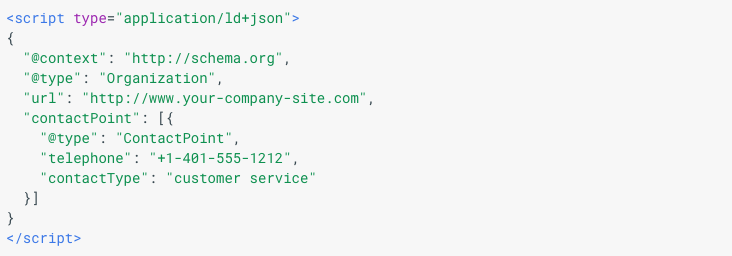
I know that might look confusing, but stick with me! I’ll be breaking this down in extreme detail over the course of this article.
Basically, you’re helping search engines analyze your content more easily.
This is super important. If it’s easy for search engines to crawl your website, you’ll get an SEO advantage.
I can hear some of you saying, “But Neil, aren’t you supposed to write for human visitors and not machines?”
You might be surprised to hear that schema markup was designed to help users.
Think of schema markup as a super-detailed business card that displays your information clearly.
It looks complex…
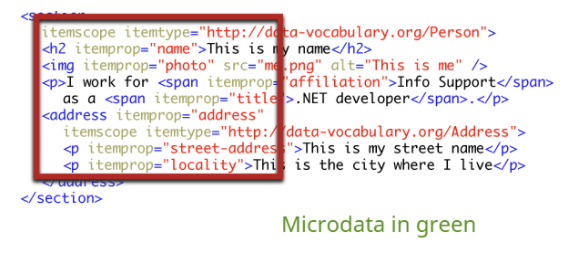
Source: Quick Sprout
…but it’s ultimately meant to help people like you and me.
Another reason schema markup is totally necessary is because it makes the job of the search engine even easier.
So you’re not “writing for machines.” You’re including extra detail and not changing your content in any way.
You can find the official home to everything schema at schema.org:
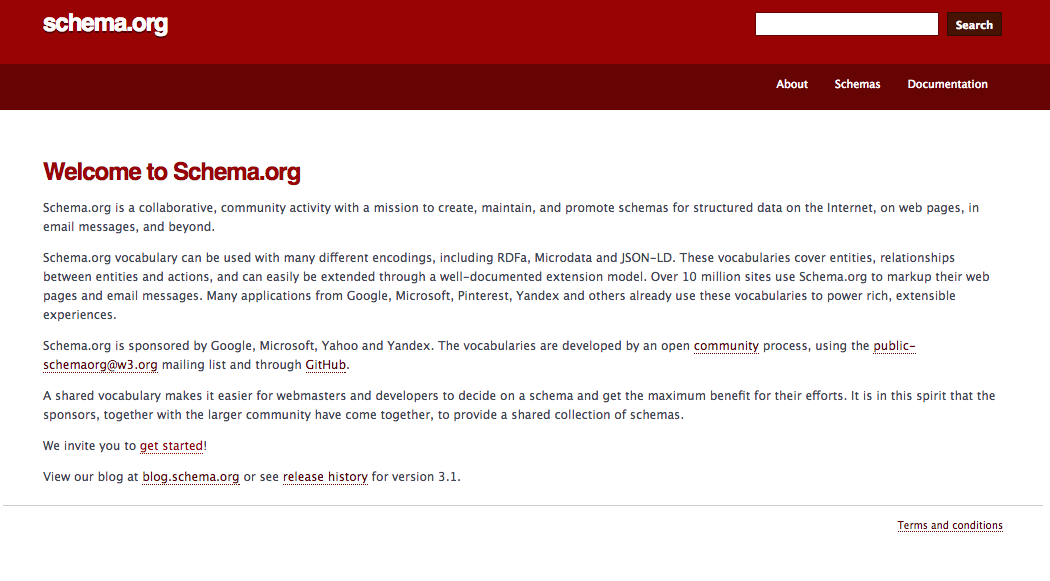
We’ll be using this site later on, so I’d recommend bookmarking it.
You’ll probably be glad to hear that you don’t need to learn everything about schema markup to use it on your site. In fact, you can (and should) start using structured data within the hour.
There are some fundamentals you should learn first, but after that, it’s pretty smooth sailing.
What you need to know (and what you don’t)
When I tell my clients about schema markup, they get scared.
I understand their fear. After all, there are thousands of schema terms.
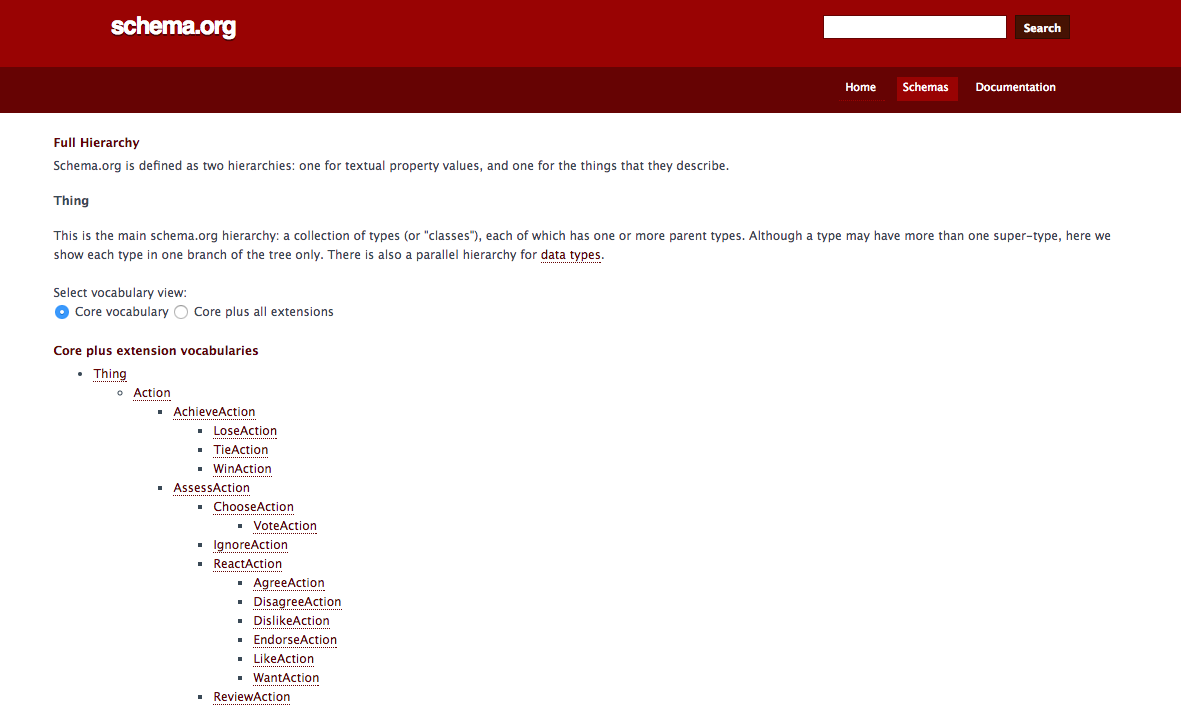
It’s impossible to memorize all of that, and it seems too complex to even start using.
Here’s the good news: You don’t have to memorize anything, and you can start using structured data today.
Here’s what you need to know:
1) The type of structured data to use.
There are three main types of structured data. Here’s a table courtesy of Google:
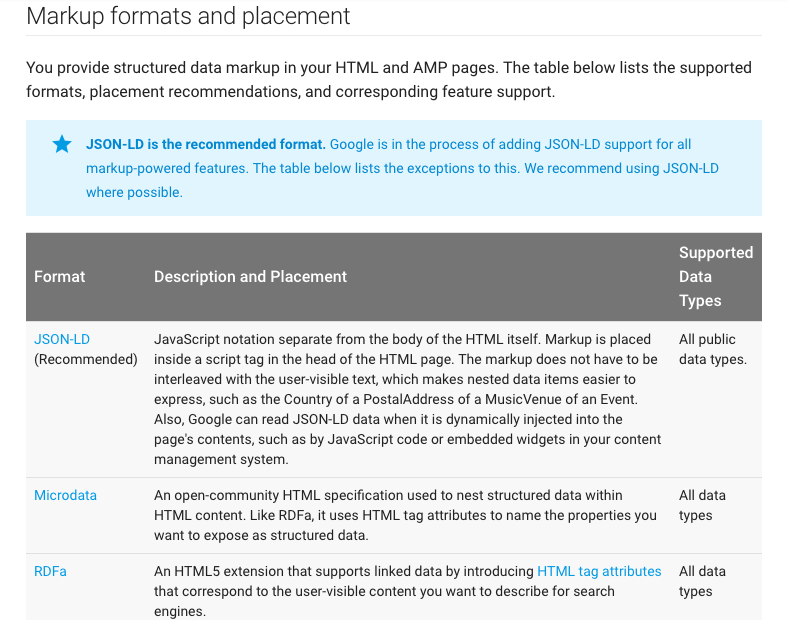
Since JSON-LD is the recommended type, that’s what we’ll be using.
I’m sharing this because I want to make you aware that microdata and RDFa are not the same as JSON-LD.
So if you research structured data, make sure you’re reading about JSON-LD and not one of the other two types of structured data.
2) The most common schema terms.
You could probably get away with not knowing these, but if you take a little time to learn these fundamental terms, you’ll get better faster.
i) itemscope: This is one of the most common schema terms. It essentially organizes your content by topic.
More specifically, it tells search engines that all of the content marked with an itemscope tag is about the same topic. Think of it as categorizing your content into different sections.
Here’s an example from Schema.org. Let’s say your HTML looks like this:

You can make one tiny change to let search engines know that all of this info is about the same topic. Simply include “itemscope” at the end of your opening <div> tag, like this:

Now search engines will group all of the data between the <div> tags into one group.
ii) itemtype: The itemtype term further categorizes your content. The itemscope term told search engines that your content was about an item, and the itemtype term will tell search engines what kind of item your content is about.
In this example, the itemtype markup would look like this:

This will tell search engines that all of the content between the <div> tags is about one movie.
iii) itemprop: This term lets you define certain properties that your items have.
Basically, the itemprop term is communicating additional information about the item.
There are countless types of itemprops you can assign. For our example, here are some possible itemprop types:

By using all of these terms, you’re going into extreme detail, which is a good thing. That means search engines can more easily and more accurately organize your content.
3) Google’s structured data guidelines.
If you’re doing SEO for Google––and let’s be honest, who isn’t?––you need to play by their rules.
Structured data is no exception. They have quality guidelines for using schema markup:
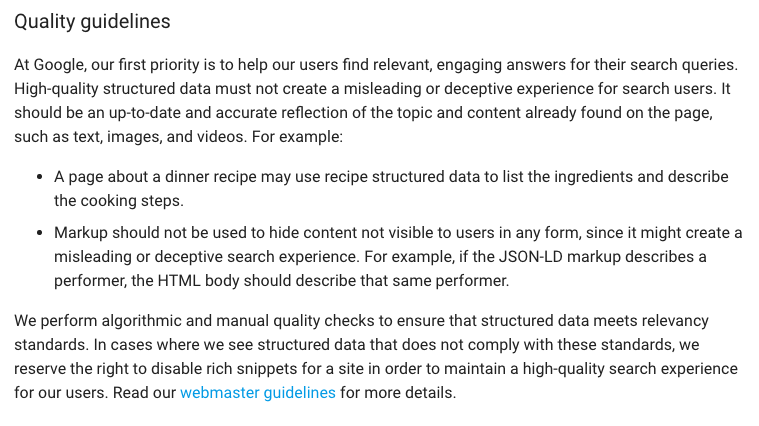
It’s important to keep these in mind when using schema markup. This is not a time for black hat or gray hat SEO.
Remember, the whole point of using structured data is to help search engines display your content better for people.
Help out the search engines, and they’ll help you out in return, which will increase your visibility.
Adding structured data to your site
Now let’s go through the process of actually adding schema markup to your site.
Unfortunately, this can be a somewhat lengthy process. It all depends on the system you use to manage your site and the level of control you want over the process.
I’ll cover two of the best ways to implement schema: Google’s Structured Data Markup Helper and WordPress plugins.
1) Using WordPress plugins
If you’re one of the millions of people who use WordPress for a website, then utilizing schema markup will be extremely easy for you.
There are several dedicated plugins that you can use. In my opinion, the best is Schema App Structured Data.
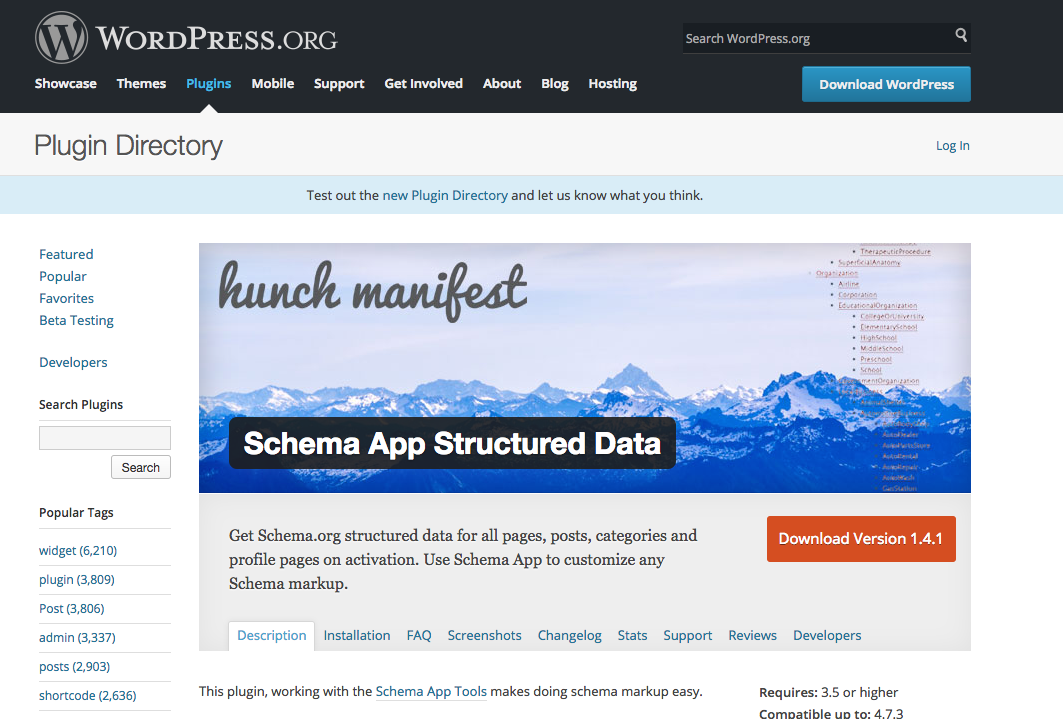
This plugin will generate schema markup for your whole site, and you can even go in and manually edit the markup yourself. (Or you can find the plugin by searching in Plugins > Add New.)
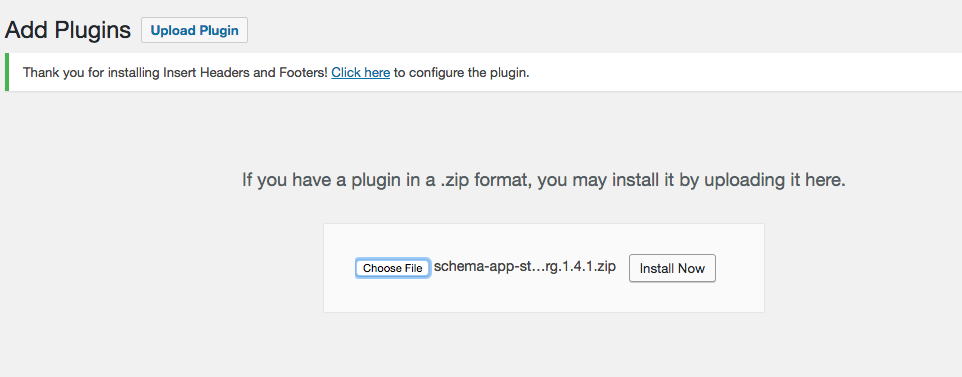
Once you download the plugin, you can upload it by going to Plugins > Add New. Then click “Choose file” and select the zip file for the plugin you downloaded.
Click “Install Now.”
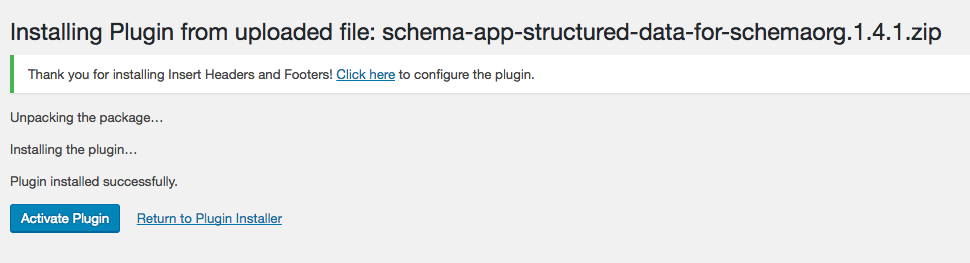
Finally, click “Activate Plugin.”
Now when you edit a post or page of any kind, you’ll see a box below the editing pane that says “Schema App Structured Data:”
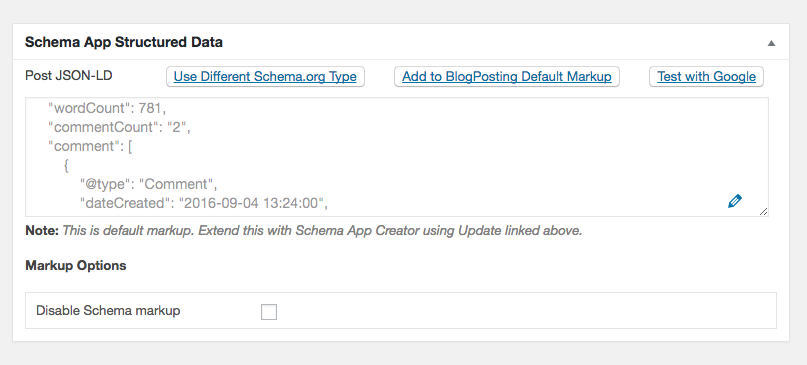
Usually, the plugin will add the best types of schema markup.
But this is where knowing the basics of structured data will come in handy. You can review the markup and make any changes that seem out of place.
If you want to edit the markup, click on the pencil icon on the lower right.
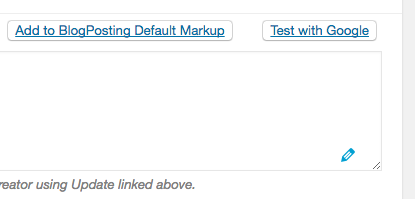
(Also, notice how the top left of the box specifies JSON-LD. That’s exactly what you want.)
That’s the plugin in a nutshell. It’s really simple to use, so if you use WordPress, I recommend using this.
2) Using Google’s Structured Data Markup Helper
I know many of you don’t use WordPress, so here’s another method of adding structured data that’s actually pretty simple.
This method will work for any site, no matter where you host it or what kind of site it is.
Google provides the Structured Data Markup Helper to help webmasters add schema markup to their sites without any hassle.
It’s straightforward to use. First, go to the Structured Data Markup Helper page:
Make sure the website tab is checked:
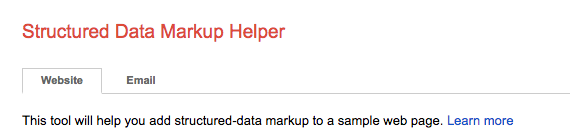
(Yep, you can also mark up emails with this tool.)
Next, copy and paste the URL of the page you want to mark up. Paste it in the URL box at the bottom of the page:

If you just have HTML, choose the HTML tag and paste your code in the box:

Next, choose one of the ten categories that Google provides. This selection can feel a little bit limiting, but you’ll find that most often your content will fall under one of these ten categories.
Since I’m using a blog post for this example, I’ll choose “article.”

When you’ve done all of that, click “Start Tagging.”

On the next page, you’ll see two panes. The pane on the left is your content (your page or HTML code), and the pane on the right is the schema markup tool.
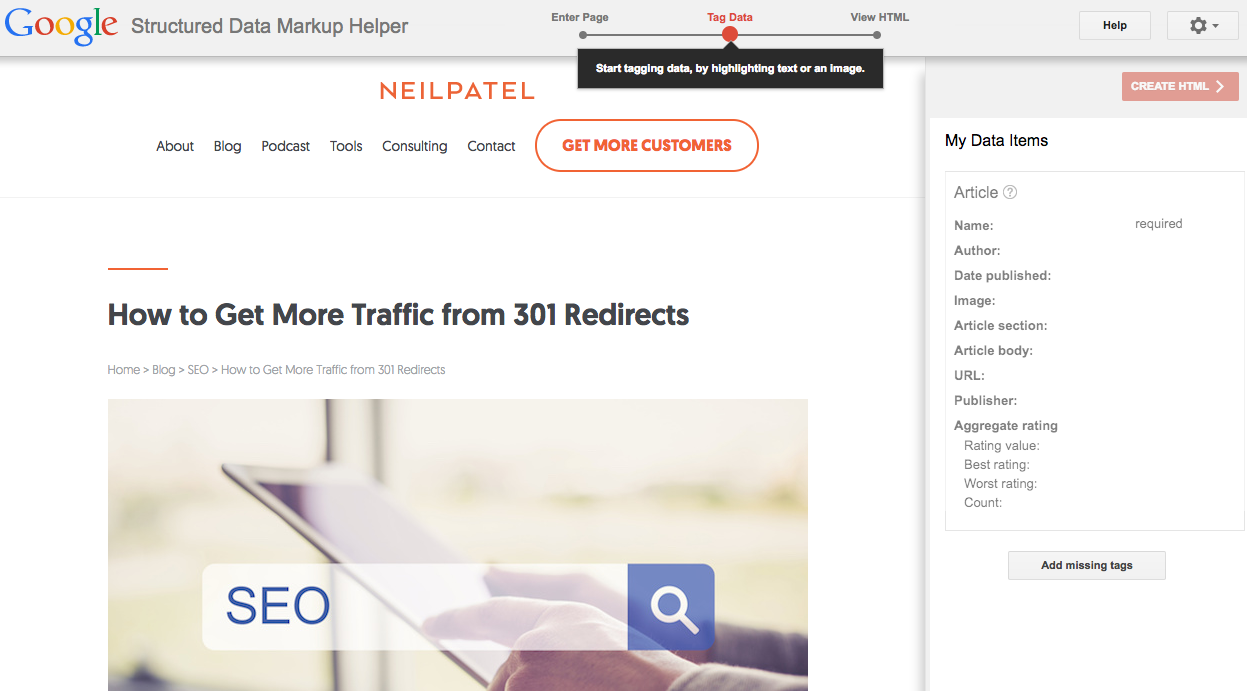
To mark something up, highlight it in the left pane.
For example, to mark up the title of the article, highlight it by left clicking and dragging over the text you want to highlight. You’ll see a box pop up that will give you options for different markup tags:
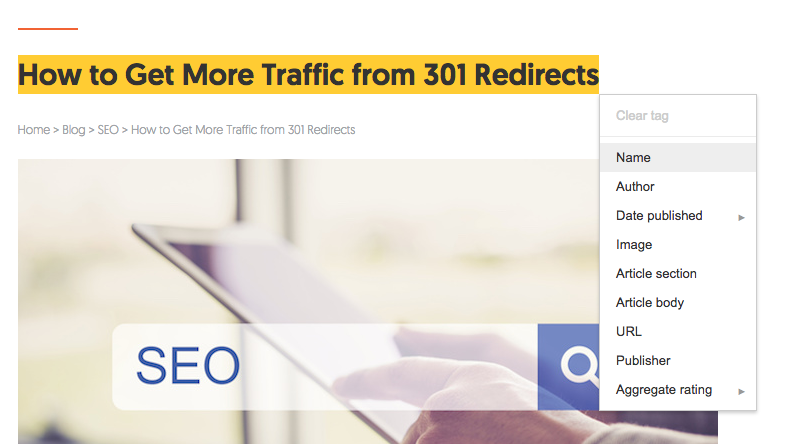
Since this is the name of the article, choose the “Name” markup tag.
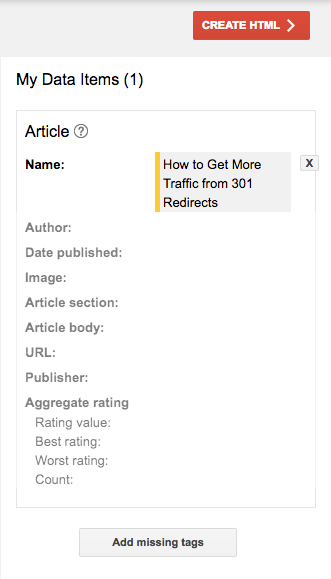
You’ll see the change reflected in the right-hand pane under “My Data Items.”
If you want to mark up an image, click on the image and choose “Image” from the box that pops up.
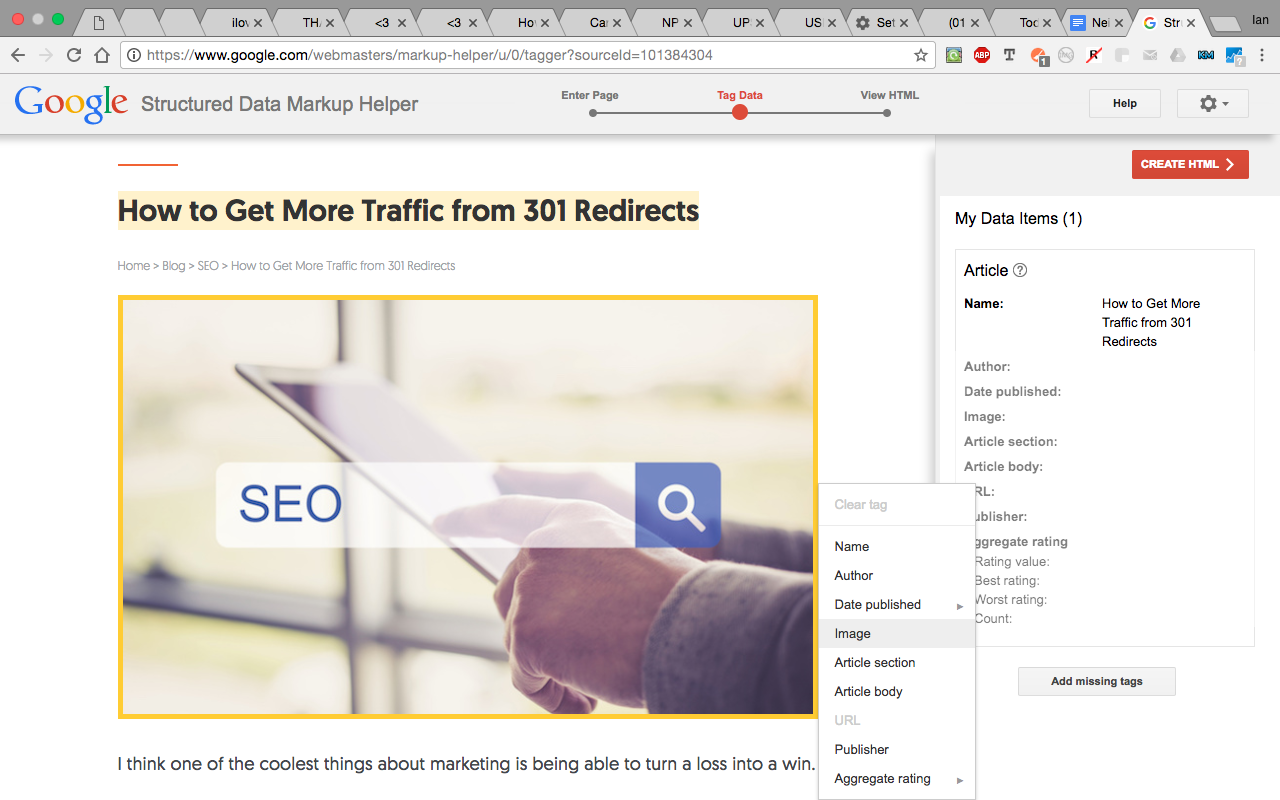
Those are the basics of the Structured Data Markup Helper. The process is the same no matter what type of content you want to mark up.
In the “My Data Items” pane, Google lists all of the main elements that you’ll want to mark up:
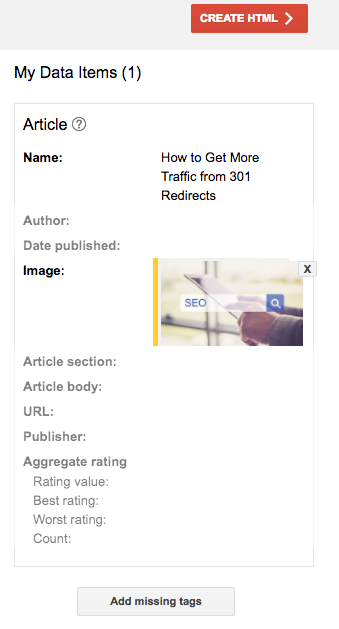
You don’t have to mark up all of these elements, but I’d recommend it.
That way, you can make sure you’re creating the most thorough markup that you can. This will give you the biggest advantage.
Once you’re done marking up everything on your page, click “Create HTML” in the upper right-hand corner.
Here comes an important step. In the second box from the left, click it to open and select “JSON-LD” instead of microdata.
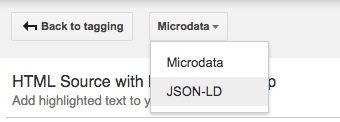
Make sure you do this since JSON-LD is Google’s preferred type of structured data.
Copy and paste the code that gets generated. (I recommend leaving this page open in case you need to copy it again.)
Everything’s been pretty easy so far, but at this stage, it can get a little tricky.
That’s because you have to add the markup to your website, which is often the hardest part of this process.
Basically, this schema markup (written in HTML) needs to go in your source code.
If your site has only static page files, it’s super easy to put the markup on your site. Click the “Download” button in the top right corner.

Next, go into the source code for this specific page. Delete the current code and paste this new code in its place.
But if your site has non-static pages, it gets more difficult. And unfortunately, this is the case for most content management systems (CMS).
When it comes to implementing structured data, WordPress is one of the trickier CMSs to use because it splits up your content. You have access to the body copy and code in your page editor, but the header for each page is contained in its own file.
Some schema markup needs to go in the header. That means you’ll have to go your theme file and manually insert the code.
You can potentially mess up your website if you do this the wrong way. Even if you have site backups, it’s still a huge pain if your site breaks. For that reason, I recommend hiring a developer if you have to go this route.
If you’re worried about this, you can just put the schema in the code for the body copy.
One more option…
There is a third option that you can go for, but I don’t recommend it unless you have coding or developing experience.
The third option is to add the schema markup manually.
This ties into what I said about potentially messing up your website. You can do some damage if you’re not careful.
But this option does have its fair share of advantages.
For one, these tools I’ve shared are somewhat limited. You can go much more in depth if you input schema markup manually.
And you can also ensure everything is exactly the way you want it.
So if you’re confident and have coding experience, this might be an option to consider.
Conclusion
If you were afraid of the term “structured data” at the beginning of this article, I hope I’ve been able to put you at ease.
It’s a lot simpler than it seems at first, and it’s a best practice that you need to start doing today.
Believe me, I’m often tempted to ignore technical SEO. Sometimes it can take a while to implement, and other times I just don’t feel like it.
But I still do it because I know it will help my site in the long term.
If you want your site to be around for a while, it’s well worth your time to learn the basics of structured data and mark up your website.
I’ve said this before and I’ll say it again: All SEO is a long-term strategy.
You have to be willing to put in the work now so you can get the rewards later.
Does that mean you’ll have to wait years for your SEO to take effect? Not at all. But there’s no overnight success with SEO.
That applies to structured data as well. If you take the time now to implement it on your site, you’ll see real results in the long term.
Are you going to use schema markup this year?
Content retrieved from: https://neilpatel.com/blog/structured-data/.
Top 50 online retailers in the UK: Argos reclaims second place from Apple
Posted on August 21st, 2018
[This an old post from 2012]
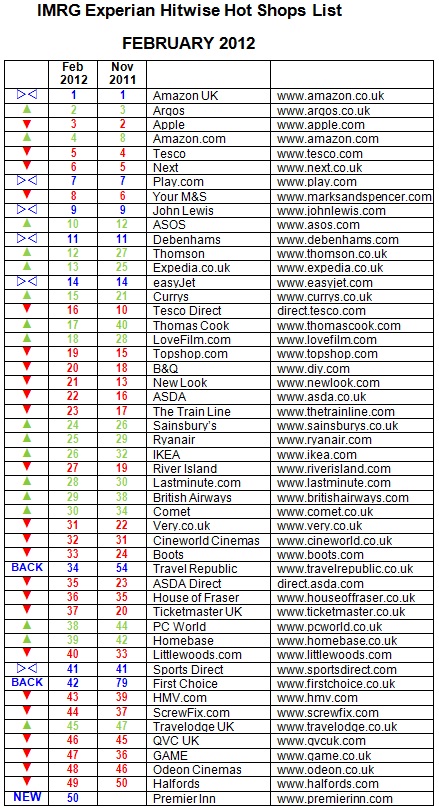
Argos is the second most visited online retailer in the UK behind Amazon, reclaiming second place from Apple, according to new data. The research, from Experian Hitwise and IMRG, indicates that Electronics retailers Currys (ranked 15), Comet (30), and PC World (38) all rose up the Hot Shops list this quarter.
Currys and PC World were also ahead year-on-year, up two and three places respectively on February 2011.
This quarter’s five fastest movers in the Hot Shops list were all travel brands. First Choice (up 37 places), Thomas Cook (+23), TravelRepublic.co.uk (+20), Thomson (+15) and Expedia (+12) all climbed in the rankings. Outside of the travel industry the fastest movers were LoveFilm.com (+10), Currys (+6), IKEA (+6) and PC World (+6).
Travel’s winter peak in January saw eleven travel brands rise in the rankings within the top 50. Premier Inn broke into the top 50 for the first time this quarter, and TravelRepublic.co.uk climbed 20 places on November to come back into the top 50.
Analysis:
As expected, this was a strong quarter for travel brands with the five fastest movers of the last three months all coming from this sector. Much like last year, it was the multi-channel travel agencies First Choice, Thomas Cook and Thomson that were the fastest-growing travel sites, although the airlines easyJet, Ryanair and British Airways all rose in the rankings too. By this measure First Choice’s decision last year to switch to purely all- inclusive holidays seems to have paid off, as the travel agency was ranked four places higher this year than in February 2011.
Post-Christmas shopping this year produced the biggest ever day of online shopping, with 96 million UK internet visits going to retail websites on Boxing Day 2011. In January it was the electronics providers and home improvements retailers that saw big increases in online traffic as consumers sought out big ticket items such as TVs, laptops, sofas, wardrobes and bathrooms. Currys, IKEA and PC World all jumped six places in the Hot Shops list since last
quarter, while Homebase and Comet were also among this quarter’s rising websites.
Online-only brands also had a strong quarter. Four of the top 10 in the Hot Shops list this quarter are online-only, including fashion retailer ASOS which climbed two places to 10th position. ASOS was also one of four fashion brands including Next, New Look and Very.co.uk that improved on its position year-on-year. Video rental and streaming site LoveFilm.com climbed 10 places to 18th in the list.
James Murray, Marketing Research Analyst at Experian Hitwise commented: “Travel has done well this quarter despite some really challenging market conditions. In early December many of Europe’s ski resorts were struggling with a lack of snow and things were looking pretty bleak, but massive snowfall in mid-December restored confidence and this together with people planning spring and summer breaks has seen the market bounce back well.
“As we predicted, 2011 was another record-breaking year for online retail with 343 million hours spent shopping online in December. As with Christmas 2010 there is still a gap between multi-channel retailers and online-only retailers. For the last three years multi- channel retailers like Next, Argos and John Lewis have consistently received more traffic than the online-only specialists like Amazon and Play.com. However, some online-only brands are starting to level the playing field, as witnessed by the rise of ASOS, LoveFilm.com and the specialist travel brands in the rankings.”
Tina Spooner, Chief Information Officer at IMRG, commented: “These figures are consistent with what we’re seeing from the IMRG Capgemini Index, where sales in January for the travel sector were up 16% year-on-year, following what was a challenging year in 2011 for the online travel industry. The story is similar for the electronics retailers as well, where growth levels remained below average for the e-retail sector throughout 2011 but returned to fairly steady double-digit growth toward the end of the year.
“The November Hot Shops list coincided with the launch of the iPhone 4S and the passing
of Steve Jobs, which resulted in surges of traffic to displace Argos from second place for the first time. However, Argos has now climbed back to its familiar position, which is unsurprising for a retailer that now makes 40% of its sales online.”
Methodology
The IMRG-Experian Hitwise Hot Shops List of the top 50 UK e-retailers* is the key indicator of online merchant performance. The List is published quarterly and tracks popularity, as indicated by visits, of those selling goods and services within the IMRG Capgemini Index Classification. This List is based on January 2012 data. The IMRG-Experian Hitwise Hot Shops List excludes eBay and price comparison / aggregator websites such as Kelkoo and Froogle.
** IMRG Capgemini Index Classification: Beer / wine / spirits; Books; CDs / tapes / records; Clothing / footwear / accessories; Computer hardware / peripherals / consumables; Consumer electronics; Digital downloads (e.g. music, software); Flowers; Food, beverages and household supplies; Furniture; Garden / DIY; Health and beauty; Home appliances (e.g. washing machines); Household goods (e.g. kitchenware, bedding); Jewellery / watches; Software; Sporting goods; Tickets (e.g. cinema, theatre, events); Toys; Travel (e.g. flights, holidays, hotels, car hire); Video games; Videos / DVDs
Source: www.imrg.org
www.hitwise.com/uk
Content retrieved from: http://www.digitalstrategyconsulting.com/intelligence/2012/02/top_50_online_retailers_in_the_2.php.
The 15 Top Affiliate Plugins for Carefree, Hands-off Marketing
Posted on August 20th, 2018
By Amy Copadis
Ever try to fix something without the right tools? I have.
The other day, the screw on my glasses started to come loose. In fear of losing the screw completely and without access to the right tool to fix it, I used my fingernail to try to put the screw back into place. And guess what: It worked!
For a while.
Two weeks later, I still haven’t found the right tool to fix my glasses, and every so often throughout the day, I find myself trying once again to put the screw back into place with my fingernail.
This is hardly what we would call a smooth fix to a simple problem. I’ve wasted way too much time with this “quick fix.” That’s time I could have saved by simply finding and using the correct tool on day one.
When it comes to affiliate marketing, smoothing out your process is one essential route to earning more revenue. If you’re trying to get by with “hacks” and “quick fixes,” you could end up wasting much more of your time than is truly necessary.
So, how do we fix this problem? How can you smooth out your marketing process and take advantage of the time you have to work?
You need to have the right tools.
Today, we’re going to discuss how WordPress plugins can make the lives of affiliate marketers much easier. Then, we’ll check out 15 different affiliate plugins for WordPress to help you save time and earn bigger affiliate payouts.
Why Use Affiliate Plugins?
Since WordPress.org is open source, almost anyone can create plugins to be used on WordPress websites. This means that many different minds are working on the tools that you need to succeed.
If you can dream it, there’s probably a plugin for it.
For example, one incredible thing that an affiliate plugin can do is localize your affiliate links. Let’s say you’ve written an article about camping gear and you include an affiliate link to Amazon.com for a recommended tent or camp stove. Now, suppose a reader comes along from the UK. When he clicks on your link, he’ll be directed to the wrong Amazon store (the American one) and likely won’t be able to have that product shipped to him (or the shipping will be ridiculously expensive). He could decide to not buy it, or even jump ship and search for the product on Amazon.co.uk. Either way, you’re losing a sale.
With a plugin that localizes links, your readers will be automatically directed to the correct Amazon store depending on where they are in the world. This will result in better sales for you!
Another ability that an affiliate plugin can give you is link cloaking. This is the practice of turning a long, cumbersome affiliate link (merchant.com/productID=919191_affiliateID=919191) into something that’s short, concise and pretty to look at (yourwebsite.com/go/affiliateproduct).
This practice has plenty of benefits for affiliate marketers, including safeguarding your affiliate commissions, increased click rates, increased email delivery rates and more.
However, it’s important for affiliates in the Amazon Associates program to keep in mind that this practice goes directly against the terms for Amazon Associates, meaning you’ll be susceptible to account closure if you cloak your Amazon affiliate links.
Other affiliate plugins will give you the ability to build content faster, create attractive coupons, see detailed metrics on your affiliate links, add your affiliate ID to links automatically and more.
Sounds good, right? Now it’s time to dive into the top affiliate plugins for WordPress that will instantly make your life easier.
The 15 Top Affiliate Plugins for Carefree, Hands-off Marketing

1. Content Egg
Get Free Plugin | Get Pro Plugin
This tool boasts itself to be an all-in-one plugin for affiliate marketing, providing some incredible features for those looking to step up their affiliate game.
Content Egg offers some great automation that will make your marketing process even smoother. For example, you can set this plugin to add your affiliate ID into your links automatically once you place them on a page.
Content Egg will also give you automatic updates on the prices of the products you recommend, as well as alert you when there’s a drop in the price. If you’re looking to stay even more hands-off, the Autoblog feature gives you the tools necessary to create comprehensive content quickly and easily.
Along with these features, this plugin will also localize Amazon affiliate links, add offers to existing posts, create price comparison charts and more! It works with over 20 affiliate networks and with any WordPress theme.
There’s a free version of the plugin with limited features, and the full version is available starting at $48.

2. ThirstyAffiliates
If you’re looking for an all-around affiliate plugin that meets all of your linking needs, ThirstyAffiliates is a great option.
This plugin allows you to manage your affiliate links completely, to cloak or redirect affiliate links, to create DoFollow or NoFollow links and to add affiliate links without even leaving the WordPress editing screen!
ThirstyAffiliates also has some handy tools like the affiliate link picker, which allows you to search for affiliate links and quickly add them into posts and pages.
This plugin also gives you the option to include some interesting add-ons. The Google Click Tracking add-on places the Google Analytics Click Event code into all of your affiliate links automatically, allowing you to see more detailed metrics on your links. You can install the Geolocation add-on, which localizes your affiliate links, or the Scheduled Links add-on, which allows you to change the destination URL according to a schedule (great for sale events).
Best of all, the basic version of the plugin is free. The add-ons aren’t free, but it may well be worth the cost to streamline your affiliate tasks with them.

3. EasyAzon
This linking tool was created specifically for Amazon Associates.
It allows you to maximize your earnings from Amazon by giving you complete control over your affiliate links. It allows affiliates without coding knowledge to customize their links easily and without fuss, and it automatically localizes your Amazon links no matter where your users are coming from (once you’ve entered some key information).
EasyAzon also has unique features for Amazon Associates, including the product popup. This means that whenever a user hovers over one of your Amazon affiliate links, they’ll see a small popup with details on the product itself. You can enable this feature site-wide with a single click.
Affiliates can also prompt users to add products directly to their shopping cart on Amazon, getting readers right to the last part of the marketing funnel!
When you purchase EasyAzon, you’ll also get the Ultimate Amazon Guide, an affiliate marketing course that’s updated yearly to bring you the most relevant advice for success as an Amazon Associate.
This plugin is available from $47.

4. Easy Affiliate Links
As the name implies, this affiliate plugin is an easy-to-use solution for link cloaking.
It allows users to easily track and modify the affiliate links on their website, all from one simple dashboard. You can create short links for your affiliate links, with complete customization for the URL slug.
Easy Affiliate Links allows you to assign categories to your affiliate links, import and export links to or from XML, keep track of monthly and lifetime clicks, and even access your links whether you’re using the visual or HTML editor in WordPress.
This affiliate plugin is still being developed, which means new features are continuously being released. Upcoming features include link localization and A/B testing for the text connected to your link.
All this can be yours for the very low price of free! If you love having data to work with, you can pay for their Statistics add-on.

5. Rel NoFollow Checkbox
This simple yet powerful plugin is an extremely useful tool for affiliate marketers.
Attaching a NoFollow tag to outbound links from your site prevents search engine bots from following that link. This means that you aren’t giving away credit that could boost the ranking of other websites.
There are multiple reasons why you would want to use NoFollow tags in your affiliate links, and this plugin makes it very easy.
You know that link popup that WordPress has when you add an outbound link to your post or page? Right below the checkbox that allows you to open the link in a new tab, Rel NoFollow Checkbox adds another checkbox, allowing you to easily add the NoFollow tag to any outbound link.
This is yet another great affiliate plugin available for free!

6. Floating Banner Ad Rotator
Have you ever wanted to A/B test the banners that you put on your website? This affiliate plugin allows you to do just that with a very simple mechanism.
You can add as many different banners as you want, although it’s recommended that you use no more than five, in order to really test these well. Once you’ve uploaded the different banners, this plugin will automatically alternate them each time a user visits your page.
In the dashboard, you can see clear statistics for each of the banners, easily comparing how each one performed in A/B testing. You’ll be able to compare metrics such as views, clicks and click-throughs.
Since it’s another open-source plugin, you can download this handy tool for free.
[video_page_section type=”youtube” position=”default” image=”http://track-n-test.com/wp-content/uploads/2018/08/youtube-banner1.jpg” btn=”light” heading=”” subheading=”” cta=”” video_width=”1080″ hide_related=”true” hide_logo=”false” hide_controls=”false” hide_title=”false” hide_fullscreen=”false”]https://www.youtube.com/watch?v=A5jKAzqyWwA[/video_page_section]
7. Advanced Ads
With over 40,000 active downloads and almost 300 5-star ratings, this affiliate plugin is clearly a winner.
It’s packed to the brim with all the features you could possibly need to create, manage and test the ads that appear on your website.
Using the standards of WordPress, Advanced Ads has made creating and testing adds just as easy as creating and editing posts on your website. With their intuitive features, you can easily insert code from any affiliate network or ad network. You can completely customize where and when ads are displayed based on certain conditions (such as post type or age, author, category, etc.) or based on the user (their location, whether they’re using mobile or desktop, if they’re logged in, etc.).
Beyond that, this plugin makes it easy to A/B test ads on your website by automatically changing the ads that are displayed. In the pro version of this app, you can also test the placement of the ads on your website. The pro version also includes features such as displaying certain ads depending on the day of the week, the browser language, the device size and more. You can also display ads by country, city or continent.
While Advanced Ads is free, Advanced Ads Pro starts at $35.

8. AdRotate
Another highly successful affiliate plugin, AdRotate has over 50,000 active installs. This plugin allows users to place ads almost anywhere on their site and test which placements seem to work best. AdRotate also allows you to group ads together, so you can see metrics not just on individual ads, but also on groups of ads.
You can also control schedules and restrictions, see daily, monthly and yearly stats, track click-through ratios, show multiple ads together in a grid and so much more!
This affiliate plugin also has a pro version which allows you to see a live preview when creating advertisements, optimize for mobile adverts, geotarget more specifically to certain countries, cities, or states and see more detailed statistics.
The price for AdRotate Pro starts at $35.

9. TablePress
This free plugin allows you to easily create tables in WordPress. It requires no HTML knowledge and allows you to create product comparison tables in a way that’s organized and clean. You have full control of the style and colors within the table, allowing it to match your own website design.
Of course, the information will have to be input manually, which is the only real downside of this plugin. However, you also have the option to import tables from Excel files, CSV, HTML and other formats.

10. WP Product Review
Creating product review posts can be a pain, but this plugin makes the process even smoother.
You can create clean and attractive review tables, complete with a section for pros and cons, affiliate buttons, user reviews and more. You can completely customize everything inside the review table, including colors, border and width. You can even customize the rating icons, choosing from stars, hearts or any of the 10 other options!
WP Product Review also allows you to easily create comparison tables. Once you’ve created review tables, this plugin will automatically use those to create a comparison table. It’s that simple! You can also import product information from Amazon, making your job even faster.
Pricing for WP Product Review starts at $75.

11. WP Coupons
Made by affiliate marketers for affiliate marketers, WP Coupons boasts itself as the #1 coupon plugin for WordPress.
Their easy-to-use dashboard enables users with limited coding experience to still get the most out of this tool. It’s easy to create attractive coupons to place within your website using the built-in templates and styles that are provided.
Another great advantage of this affiliate plugin is that all coupons are mobile-friendly with very lightweight code and are compatible with all themes and plugins on WordPress.
Pricing for WP Coupons starts at $34.95.

12. Affiliate Coupons
This free affiliate plugin is another fantastic option for placing affiliate coupons on your site. You can input vendors and predefine the affiliate links that go with them, making the coupon linking process much smoother. Also, you can display coupons directly inside posts using shortcodes. You can customize exactly how the coupons are presented, as there are multiple options to filter and sort them.
With a smooth design for coupons on your website, this plugin will have you boosting sales and getting greater revenue in no time!

13. GreedyCoupon
Another free affiliate plugin for placing coupons, GreedyCoupons includes a custom coupon post design, as well as SEO compatibility. You can feature multiple coupons on the same page or even create a slider that rotates different coupons.
It’s true that these last two options don’t have as many features as WP Coupons. However, they’re both available for free and are great for affiliates who want to try using coupons on their website.

14. Pinterest
This plugin is a must-have for affiliate marketers. Pinterest is one of the largest social media sites currently available to use and it’s imperative that you make your content shareable to Pinterest.
The Pinterest Plugin for WordPress allows you to automatically add a “save” button to any media on your page. You can also add widgets that display pins, boards or your Pinterest profile and customize the language that’s displayed.
This free affiliate plugin lets you set up social media sharing to Pinterest quickly and easily, allowing your readers to do promotion for you!

15. Yoast SEO
For affiliate marketers who are concerned about SEO (as we all should be), this plugin is absolutely vital.
With over 40 million downloads, this is the cream of the crop for SEO plugins.
With the help of Yoast SEO, you don’t need to hire an SEO expert (or be one) in order to optimize your site for search engine ranking. Instead, this plugin gives you step-by-step assistance, helping you optimize each page and post for the specific keyword(s) that you want to rank highly for.
You’ll see how many times you’ve used your target keywords, how readable your post is, how your post will appear in Google searches (including metadata optimization help) and a text link counter. Yoast will even take care of the technical SEO stuff, like robots.txt, sitemaps and other complicated subjects. That way, you can relax and focus on the content.
Yoast SEO has a free and a paid version which starts at $69. I recommend using the free version first to see whether you really need the paid version.
Obviously, having the right tool for the job not only saves you time, but will also save you the frustration of a complicated affiliate marketing process.
Once that process is smoothed out using the affiliate plugins we mentioned above, you’ll see your revenue increase at the same rate that your frustration decreases.
With these affiliate plugins, you’ll be able to get more done in less time and boost your affiliate earnings.
Content retrieved from: https://cospot.com/affiliate/affiliate-plugin/.
[Case Study] – Create Your Own Viral Site and Bank Hard
Posted on August 20th, 2018
January 24, 2016 by Rhys
Viral sites are big business these days with some of the biggest names in the industry selling for millions. By leveraging the power of social media to drive traffic you can create a profitable site in no time at all. In this case study I’m going to show you how to create your own viral site and bank hard.
Case Study Overview
- Create our own viral wordpress site
- Get the best content, rewrite and add to our site
- Post on Facebook and drive huge volumes of traffic
- How to monetize your site to make money.
Why Build Viral Sites?
Viral news sites are one of the only ways to make money by offering 100% free content. You’ve probably heard of sites such as Bored Panda, Buzzfeed and Daily Elite which are sites that specialise in viral content and as such receive millions of visitors everyday. In turn they make money from advertising through Google Adsense, paid articles and paid advertisements. Once you’ve built up a solid visitor base and following you can sell these websites for large profits. Just last year the Daily Mail bought Daily Elite for $47 million USD. Yes $47 million!
Viral sites are easy to build and maintain however you do need to ensure you continue writing content so visitors return. If you start building viral sites you can’t stop posting content when you reach 100 articles. Later in the course I’ll show you how I get help building viral sites so you don’t actually need to focus on writing content everyday – that get’s boring! Let someone else handle that process for you.
Part 1: Create Your Viral Site
When I build viral sites I like to follow a set process which involves choosing a suitable domain name, linking to the web hosting provider I use, then using a particular template that is perfect for such websites.
Choosing A Site Name
You need to choose something unique and nifty that’s a little bit different. You can look at BuzzFeed and BoredPanda as perfect examples here. You could stick with something with the words Bored or Buzz or Feed. Try not to copy someone else’s domain name, especially if you plan on trying to sell the site at a later date.
Things that might help you pick a suitable name include markets you intend to target. I’m from New Zealand so I’m going to target the 4 million kiwis (nickname) that live in our country. I’m going to focus on bored people so the name I came up with was BoredKiwi.com. Quite similar to bored panda but there’s a clear difference in our target market and domain name.
Viral Host did a good article on how to choose a suitable domain for a viral site. Also you can checkout domain suggestion tools which might help with inspiration. Always pick a .com or .net domain so your not limiting yourself to local countries.
Once you’ve decided on a name, I’d register it with either Godaddy or Namecheap.
Web Hosting For Viral Sites
If your site explodes with viral traffic then shared hosting probably won’t cut the mustard. Now don’t panic you don’t need to rush out and buy VPS or dedicated server hosting just yet. The main problem your going to face running a wordpress blog on shared hosting with lots of traffic is your page loading times and the pressure on your shared hosting server. The best way to solve this is to setup Cloudflare which offer a free solution to get you started. You’ll find their $20/mo plan is much better but to get started it’s free.
What is Cloudflare and how does it work? Cloudflare offers a solution to supercharge your website by offering a CDN feature which distributes your content around the world on their servers to that your content is closer to your visitors thus speeding up your website. They offer solutions to protect your websites from a range of online threats from spammers to SQL injection to DDOS protection which means if your main host goes offline, cloudflare will keep your site online.
You can get more information here, simply enter the name servers they provide you into your domain provider.
After creating Cloudflare, get the nameservers as below.
Now you’ll want to add this into your Godaddy or Namecheap account. For Godaddy this is under Domain Management > Manage DNS.
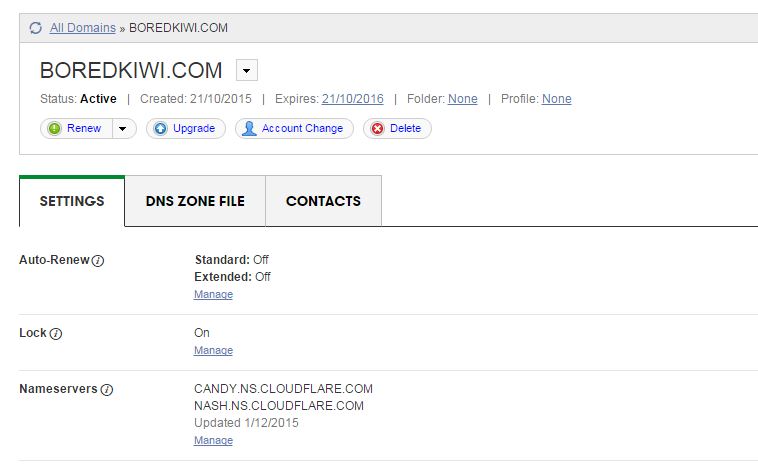
Lastly you’ll need to add your hosting companies nameservers into Cloudflare and then you’ll see this message meaning your all setup. Once setup your site will already start to load super quick.
WordPress Setup + Template Selection
I build my viral sites using WordPress. If you use any big name web hosting these days you’ll be able to install WordPress through your Cpanel control panel (if your using Linux hosting). There’s many guides out there on how to setup wordpress but I’d recommend this course.
Next you’ll want to choose a suitable template. The one I use for all my viral sites is Newspaper by MyThemeShop. It costs $59 however I think it’s worth every cent. The theme ranks your posts in Google within hours and looks great on tablets, cellphones and even desktops. The social sharing options are very helpful when building a viral site.


The reason I use this theme is as follows:
100% RESPONSIVE LAYOUT OPTION
NewsPaper Theme was built in with responsive design. Automatically It will adjust any types of devices. Now a days more than 60% visitors are visiting world most popular sites via mobile phone. So, it’s situation demand to make a responsive website, NewsPaper Theme is made with mobile friendly option.
ATTRACTIVE FEATURED POST SECTION
By featured section you will be able to add your extra oriented post by highlighting your article. Featured post will include HD images to grab more attention. Featured post section make an important role to advertise on your site.
SPEED OPTIMIZED
It’s the great option to reduce your bounce rate by Speed optimized option. Google give priority those sites take less time and load fast. So, increase your visitors and pageviews using NewsPaper Theme.
FULLY SEO OPTIMIZED
All MyThemeShop themes are search engine optimized including NewsPaper Theme. It will help search engines to crawl and index your content quickly. Without search visitors you will not get proper ranks. NewsPaper Theme will increase your search visitors by giving more impression.
HIGHLY DECORATED CATEGORIES SYSTEM
NewsPaper Themes allow multiple categories option to decorate your posts. It’s grab more attention for new visitors about what they want to know. Simply make categories and give your site a professional look.
GOOGLE ADSENSE OPTIMIZED
When it comes to monetize blog, Adsense is most popular monetization method quality blog and websites. NewsPaper Theme is Google Adsense and others ad optimized theme that will increase your CTR’s and CPM’s rate. So, make money blogging via NewsPaper theme.
CLEAN CODING
To help search engines and schema.org to understand your blog, Mythemeshop developers made this theme with neat and clean code . Search engines will easily understand theme code for SEO purpose.
SOCIAL MEDIA INTEGRATED
Whenever you make content in NewsPaper Theme, it will go for viral quickly. Facebook, Twitter and more popular social sharing button are included with this theme.
EASY OPTION PANEL
Easily you can customize your theme options from one place. Specially newbies can monitor their themes from option panel.
Option panel are includes General Settings, Styling Options, Header, Homepage, Single Posts, Social Buttons, Ad Management, Theme Typography, Sidebars, Navigation, Theme Translation Panel, Import / Export Options etc and more.
24*7 SUPPORT
Full Support is not appear in maximum themes club. But in Mythemeshop something different, i got instant support from Mythemeshop expert team. Just you can ask them a query, definitely they will answer your query in right away.
This concludes the first part where our site is now built ready for adding content.
Part 2: Finding Content, Writing Articles
Now that our website is build we’ll need to start adding content. There’s many other sites out there that you can get inspiration from to re-write articles from for your own website. One of those websites I like to use is called ViralViralVideos.com where they seem to post videos all day everyday of viral content. Most of the videos are hosted on Youtube so you can simply right click on the video and choose, ‘Get Embed Code’ and then embed it onto your own WordPress blog. You can take the authors text and spin it or reword it to suit your own style of website. There’s literally thousands of websites like this online, you just have to find them.
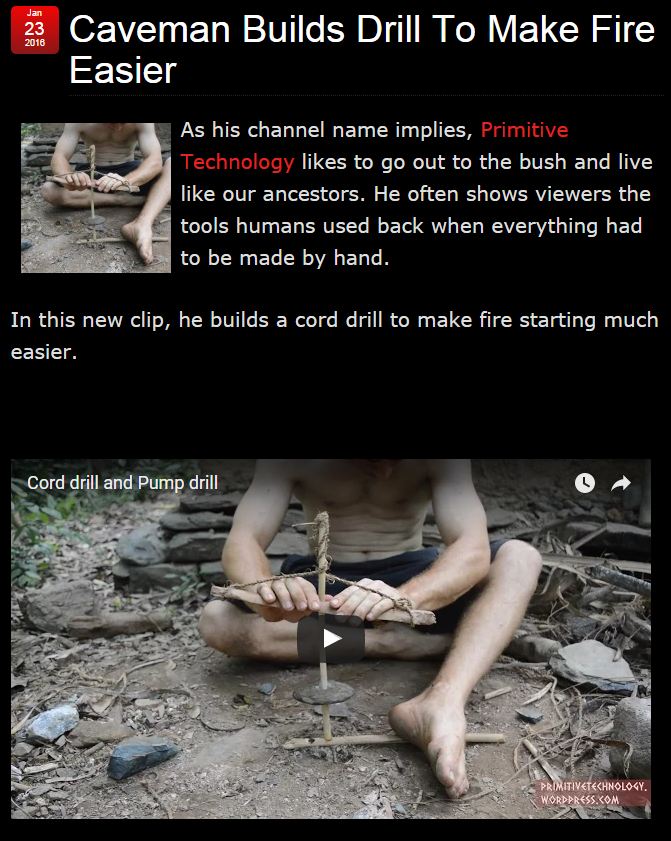
Other resources include the big players in this industry including TheLadBible, BoredPanda, BuzzFeed, DailyElite. Of course Reddit and Twitter are also two of the best sites for finding topics to post about. You want to look for something that you would probably share with your own friends as sharing is the number one way to spread your posts on social media.
How To Write Viral Articles
The best way to write viral articles is to use the structure such as, ‘9 of the Best Ways To…’ or ‘Watch What This Man Does… What He Does Next Will Blow Your Mind!!’ or ‘Watch What Happens When ….” Basically you want to encourage users to click on to your articles. Later in the article I’ll be showing you how to market these on Facebook so you should write articles such as this.
Here’s an example from my BoredKiwi website.

Other styles you can use are articles such as “6 of the World’s Scariest…” or “5 of the Best Ways To…” and of course the “How To…” Videos are always a good way to drive traffic.

Buy Viral Articles
It’s great writing your own articles but it gets boring after a while so the best way to ensure your website is stuffed full of high quality content for your readers is to buy articles from sites such as iWriter.com. iWriter allows you to sign up as a buyer and connects you with writers all over the world who’ll write articles from 150 – 2000 words for prices ranging from $1.50 for 150 words to $40 for a 2000 word article. As all your articles will be no more than 300 words you can get lots and lots of articles for your site with not much effort.
Once someone has created an article for you, simply upload it to your site, add a few pictures or videos and then post to your social media pages (we’ll show you later).
There’s plenty of guides on how to create iWriter jobs however this is what my typical job looks like.
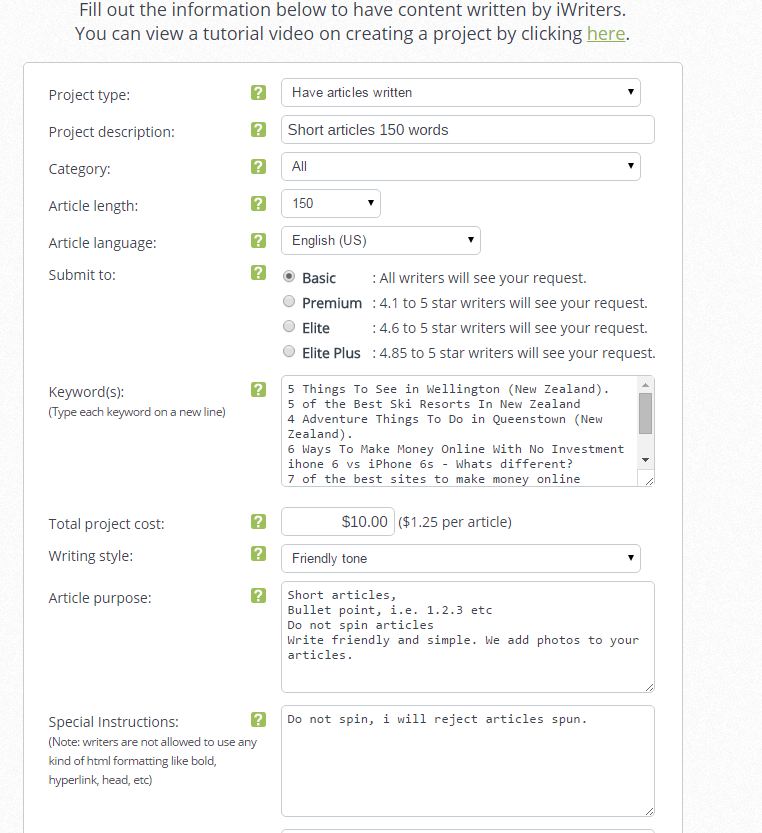
- Project Type: Have articles written
- Project Description – I like to keep this at 150 words. Most writers will write more than this
- Category – purely for iWriter’s reference, I leave it all
- Article length: 150 words. You can try longer articles if you want
- Submit to: The cheaper articles can be done by any one, stick with it
- Keywords: This is effectively the name of your articles (1 per line = 1 article)
- Project Cost: $1.25 per article x 8 articles for me for $10 – Super cheap
- Writing Style: Choose between Professional or Friendly – I always choose friendly
- Purpose: Here you need to tell them what you want, see my example
- Special Instructions: Make sure you tell them you’ll reject spun articles.
That’s really all there is too it with iWriter. Your articles will likely be done within 12 – 24 hours. You’ll probably have a few spelling mistakes however you can reject articles or request rewrites however remember your paying $1.25 for 150 words so you’ll have to factor in that you might need to fix some typos etc. You’ll be able to download the articles once completed. If you find a high quality writer you can then hire them (at the new rate of $2.50) to write all your articles next time.
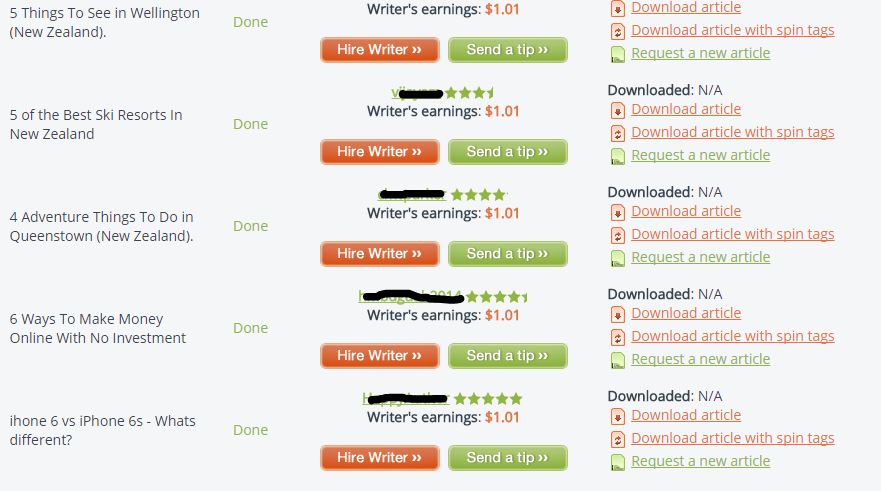
So now we have our articles you can post them on to your new website, if your using WordPress and MyThemeShop your screen might look like mine below.

Part 3: Drive Traffic From Facebook
You’ll want to use Facebook to drive traffic to your website. Be sure to go to Facebook pages manager and setup a new page. There’s plently of guides online on how to do this so I won’t describe the process here however once you’ve got setup you’ll want to ensure you’ve set yourself up with a logo and banner image to match your site. I’d recommend using AdExpress here – checkout our review. You should end up with something such as this,

Now Facebook has recently implemented a feature that requires all new Facebook pages to have 50 likes before you can register a sub domain such as Facebook.com/boredkiwi – This is quite annoying as someone could come along and steal your chosen url to match your site – I personally think for SEO and traffic building it’s important to have something that matches your site so the best way is to buy 100 likes from Fiverr.com to get you started. Then register your Facebook url.
Now your ready to post your first article on to Facebook.

So this article didn’t go viral but I boosted it using Facebook Ads and the results were quite incredible for $15. Now remember you only need a couple people to visit the link then hit the share button on our website or on the Facebook post. In this case the article got lots of shares via my website which churned out a few thousand visitors in 24hrs.
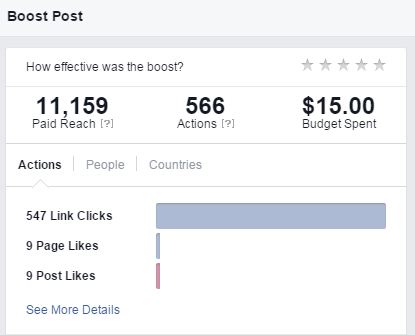
There are many other ways to promote your posts, for example if you have 5000 friends then you only need a few of those to share your post and it could start going viral. I have a friend who has 10 accounts with 5000 people (this is Facebook’s limit) which he posts his articles in and they go viral very quickly. Another friend uses Facebook groups – for example there is some groups out there with 250,000 members that will see your posts if someone shares them into that group.
Part 4: Monetize Your Site
The best way to start monetizing your site is to put Google Adsense or a similar ad network (pop unders) on your site where you get paid a small commission on every visitors. Let’s say your site had 5,000 visitors a day – you’d probably be making at least $10 a day on Google Adsense which is $300 per month. Now imagine if you had 500,000 visitors a day? Go figure.
Here’s my Adsense stats form my first few days running this BoredKiwi site.

<!– –>
Filed Under: Case Studies
Content retrieved from: http://www.imrhys.com/create-your-own-viral-site-and-bank-hard/.
Most Helpful Plugins for Generating and Printing Your PDF File
Posted on August 19th, 2018
Nowadays, WordPress is evolving almost at the speed of light, with bunches of new widgets, plugins and themes being released each day. While it hardly takes an experienced user a lot of time to browse, try out and evaluate new plugins, a beginner can easily get lost in the labyrinth of new releases. However, with a little extra help, finding a plugin that will work best for you will be easy and problem-free, and we are here to offer you a helping hand.
Creating PDF documents is a relatively new WordPress feature. Nonetheless, there’s already a number of plugins elaborated to add this feature to your website. Therefore, we decided to take a closer look at such plugins as PDF & Print, PDF24 Article to PDF, WP Post to PDF Enhanced and Print Friendly and PDF Button, which are among the leaders in WordPress PDF-related plugins.
At the first sight, there may be little difference between these plugins, as all of them are designed to let you create PDF documents of the posts on your website. While this function is carried out well enough with all plugins, it is the smaller details that can make you choose one plugin over another.
PDF & Print is one of the promising plugins developed by Bestwebsoft that is being recognized more and more widely by a growing number of users. It has currently been downloaded more than 16 thousands times, and rated 4.9 stars out of five. While it has only been around for less than six months, the plugin has witnessed several major updates, each extending its features. This plugin is perfectly compatible with WordPress version 3.8.1 (and so are WP Post to PDF Enhanced and Print Friendly and PDF Button plugins). With this plugin, you will receive two easy-to-use buttons attached to the content of your website. All you have to do to create a PDF file is click the appropriate button, and let the plugin do all the processing. As it is done with the help of an mpdf library, you will not be redirected to another website, and the PDF file you will receive will be almost identical to a regular PDF document. When finished, you can either download the document, or print it out by hitting the second of two buttons.
PDF & Print Buttons displaying with your blog post
If you prefer custom post types, you will also find no difficulties in working with PDF & Print plugin, as it supports every type of posts displayed on your website. Apart from that, you are free to create PDF documents for your archive and search pages, as well as develop a personal PDF & Print portfolio. If the default position of PDF & Print buttons does not work for you, you can easily relocate them to the spot that fits your needs (this feature is typical, and can be found in other plugins under review as well). This can be done on the settings page, which includes several user-friendly location options, along with the choice of PDF document templates.
Generating PDF document in search results
Finally, PDF & Print enables the execution of shortcode in PDF and printing output, which is truly a time-saver function.
Download PDF & Print: https://wordpress.org/plugins/pdf-print/.
PDF24 Article to PDF created by pdf24 and StefanZielgler is one of the older plugins, which has already hit 66,5 thousand downloads and underwent a number of large modifications, receiving a user rating of 3.4 out of 5 stars. Unfortunately, this plugin will not function properly with WordPress versions 3.6.2+. This plugin is similar in its functions to the previous one, yet it does not have a built-in print option. Neither is it graphically realized in the form of a button. Instead, it features several links to creating the PDF file, located in different places on the page, which makes it really hard to miss one when looking for a way to generate a PDF document. Like in PDF & Print, you are also free to adjust the location of the links and boxes on the page. However, you might want to keep in mind that with this plugin, the location determines whether you will create a PDF file for all articles, or just one. Although seemingly simple, if you are in a hurry to create a PDF document, having multiple links can be quite confusing.
PDF24 Article to PDF links display with your blog post
While PDF24 Article to PDF plugin does not let you print the articles immediately, it offers you two ways of receiving the PDF file. Thus, you can have it delivered to you via e-mail, or download it directly. However, some users find it irritating that the plugin “forces” to give away e-mail address.
PDF24 Article to PDF option to receive created PDF file via e-mail
Apart from that, the plugin also supports custom fields, which can be listed as an advantage.
Download PDF24 Article to PDF: https://wordpress.org/plugins/pdf24-post-to-pdf/.
This plugin is developed on the base of an earlier version of WP Post to PDF plugin by Lewis Rostenthal and qstudio. While it is not as popular among the users as other plugins, with slightly over 6000 downloads, the responses and high rating (4.9 stars), nonetheless, suggest that this plugin has high chances becoming more successful in future. Similar to the previous plugins, WP Post to PDF Enhanced allows rendering posts and pages as PDF files that can either be downloaded or printed. While it introduces a Create PDF button, this plugin does not have a similar one for print option, which sometimes may be inconvenient.
WP Post to PDF Enhanced Create PDF button display with your post
Still, well-developed settings that allow users to specify various aspects is what really makes this plugin stand out. Thus, you are free to choose the post types that will support PDF creation, the types of users who will be able to generate PDF documents (for instance, registered users only), includes and excludes and many more.
WP Post to PDF Enhanced settings page
Another convenient feature of this plugin is that it allows generating PDF files without leaving the page and utilizing any third party. This way, users are not redirected to suspicious websites. Unfortunately, if you like including HTML to headers, this plugin might not be the best option, as it has been reported by WP Post to PDF Enhanced users. Likewise, watch out for the images inside the content, as they may not be supported by print option.
Download WP Post to PDF Enhanced: https://wordpress.org/plugins/wp-post-to-pdf-enhanced/.
The Print Friendly and PDF Button is a veteran among PDF-related plugins, with almost 500k downloads and a high rating of 4.3 stars. Developed by printfriendly, Joost de Valk and jrf, this plugin is by far the oldest among similar products. With Print Friendly and PDF plugin, you can easily remove separate paragraphs and images from the text in the preview mode, which is extremely convenient and time-saving, and is not featured in any of the abovementioned plugins.

Print Friendly and PDF Button preview mode, in which you can remove text blocks and images
While other plugins often open new tabs or windows, Print Friendly and PDF Button opens a Lightbox, allowing you to stay on the page (however, the similar principle is also used in the PDF & Print plugin). However, in case this plugin is used in the corporate environment, this feature may conflict with firewalls and proxy. This slows down the work significantly, and reduces the attractiveness of this plugin for business websites. What is also noteworthy is that this plugin is environmentally friendly, optimizing the pages to be printed at minimum price and with no extra paper usage. This technology is completely alien to other plugins, while being a huge bonus for Print Friendly and PDF Button.
Print Friendly and PDF Button official website main page
What is also quite appealing to users, is the strict privacy policy. You can rest assured that your e-mail or any other personal data will not be distributed by this plugin, unless compelled by the law. However, there is always a fly in the ointment. If you want to get a free version of this plugin, you will have to deal with ads. Although they are claimed to not interfere, and appear only in the e-mail confirmation window, a number of people may find it really annoying. Apart from that, users have been reporting that in reality, ads are also put on the print pages, which is a huge minus. In order to remove these ads, users have to pay a monthly fee, which often does not work, and the ads are still shown. None of the other three plugins get mixed up with advertising, as it affects the overall presentability of the website in the negative manner. So, if you develop your site for business purposes, you might want to watch out for those ads.
Download Print Friendly and PDF Button: https://wordpress.org/plugins/printfriendly/.
The installation process is almost identical for each of these plugins, as it requires downloading the zip file and unpacking it to the target directory, followed by enabling the plugin and configuring it to match your requirements. However, in case of the WP Post to PDF Enhanced plugin, the type of the downloaded file is not specified, as well as it may be unclear for the user whether the archive should be unpacked to the target directory, or just copied. But apart from that, if you are familiar with installing plugins in general, you will hardly have any problems with installing either one of these.
Even if the default features of the plugins are convenient and user-friendly, a lot of users still prefer to customize them to match their own preferences. WP Post to PDF Enhanced, Print Friendly and PDF Button and PDF24 Article to PDF plugins allow you to specify the format and style of the PDF document, as well as the design of the buttons/boxes themselves. WP Post to PDF Enhanced plugin has particularly convenient settings options in this case, which include virtually any aspect of presentation and formatting possible. As for PDF & Print, its customization options are different from other plugins, as it does not support manual customization. Instead, a team of professional developers will eagerly do it for you for a small fee. This way, if any difficulties in customization process appear, you will not be the one to deal with them. This offer is really time- and effort-saving when it comes to productivity and usability.
As WordPress is a CMS used worldwide, plugins that come pre-packed with several languages are more likely to receive customer approval. Unfortunately, with WP Post to PDF Enhanced and PDF24 Article to PDF you are bound to use English only, as no other languages are supported. PDF & Print plugin originally comes in three languages: English, Russian, and Ukrainian. However, if you choose to create your own language pack for this plugin, the developers will eagerly accept it, and add it to the default settings. As for Print Friendly and PDF Button, it already comes packed with more than 20 languages, which makes it particularly popular among non-English-speaking users.
With all four plugins, generating PDf files from your website posts is an easy and trouble-free job, that will not take you more than several minutes. However, if you keep up with all WordPress updates and want to print the created PDF files, PDF24 Article to PDF will be of little help. Similarly, WP Post to PDF Enhanced print options may be a little inconvenient for some users, as no separate button is included. Nonetheless, this plugin is perfect for those, who like to customize the features manually. PDF & Print plugin, while having more fee-based features, demonstrates effective compatibility and cooperation with other plugins, and allows you to create portfolios. This plugin is best suitable for business websites. Finally, tree-huggers will be pleased to work with Print Friendly and PDF Button, as it is the only environmentally-friendly plugin. As you can see, none of these plugins is a perfect solution to all your problems, yet you are free to give them a try and see which one is best for yourself.

Content retrieved from: https://bestwebsoft.com/most-helful-plugins-for-generating-and-printing-your-pdf-file/.
14 Powerful Plugins Every WordPress Blog Should Have
Posted on August 19th, 2018
Tung Tran
- Last Updated February 21, 2018
It’s no doubt that WordPress is very powerful, flexible and feature-rich.
And it also has a large database of both free and premium plugins to boost it up even further.
With so many options to choose from, it can be difficult to sort out the good from the, well, not so good.
In this article, I’ll be featuring a list of my favorite plugins that I usually use to optimize my sites for better performance. Let’s dive in!
More…
Table of Contents
-
- 0.1 1. Akismet
- 0.2 2. Yoast SEO
- 0.3 3. Google Analytics by Yoast
- 0.4 4. W3 Total Cache
- 0.5 5. Gravity Forms
- 0.6 6. Thrive Content Builder
- 0.7 7. ThriveLeads
- 0.8 8. Thirsty Affiliates
- 0.9 9. SumoMe
- 0.10 10. Duplicator
- 0.11 11. WP Limit Login Attempts
- 0.12 12. Comment Redirect by Yoast
- 0.13 13. Reply Me
- 0.14 14. Ad Inserter
- 1 Conclusion
1. Akismet
Akismet comes as a default plugin for every new WordPress installation. It checks new comments against a giant database and automatically filters out the ones that look like spam.
Although I hated it a few years back for frequently trashing out my legit comments, Akismet’s spam detecting algorithm has been improving a lot since and I rarely see that problem happening these days.
You’ll need a free Akismet.com API key to activate it. There are also paid plans available for heavy users or businesses.
2. Yoast SEO

With over 1,000,000 installs, this is one of the most popular plugins in WordPress.org
And it’s also consistently rated as the #1 SEO plugin for WordPress by many experts and users.
WordPress is already very technically good for SEO, but Yoast SEO really takes it to the next level.
The plugin helps improve your site with a wide range of features like:
-
- Make your blog posts more SEO-friendly
- Prevent content duplication and low-quality indexation issues
- Drive more traffic from social by optimizing CTR
- Create optimized XML Sitemaps
- and more…
3. Google Analytics by Yoast

This plugin simply inserts the Google Analytics tracking code into your site’s header for you if you’re not the technical type.
It also helps to set up outbound links and downloads tracking in a few clicks. It enables you to view detailed reports through internal dashboards without leaving WordPress as well.
The plugin has recently been acquired by Syed Balkhi, and he rebranded it as “Google Analytics by MonsterInsights”.
4. W3 Total Cache
This plugin improves your site speed by optimizing server performance, page load times, and provide easy CDN integration.
This is a must-have as faster sites tend to rank higher and get more organic traffic.
You can combine this with a good hosting service like Traffic Planet Hosting, and your site should be blazing fast.
5. Gravity Forms

Gravity Forms is the most advanced form builder for WordPress, yet it’s so simple and easy to use.
You can use this plugin to create contact forms, email optin forms, order forms, surveys, etc.
It also integrates with Zapier which opens up the possibility to create hundreds of powerful automations to help you save time and increase efficiency.
6. Thrive Content Builder
Launched in 2013 by Shane Melaugh, Thrive Content Builder has rapidly got it name among online marketers because of its ability to quickly create good-looking conversion-focused articles and landing pages.
Gael from Authority hacker published a case study on how reformatting a piece of content with Thrive Visual Editor has helped grow one article’s traffic by 9275%.
7. ThriveLeads

This is another good product from ThriveThemes and it’s one of the plugins and themes you’ll get when you sign up to be a Thrive member.
ThriveLeads can really skyrocket your list growth by making it easy to create optin forms, lightboxes, slide-ins, and more.
It also saves you money by having an internal A/B testing option which is very easy to use.
Here’s an example of a test I recently ran on the previous post.
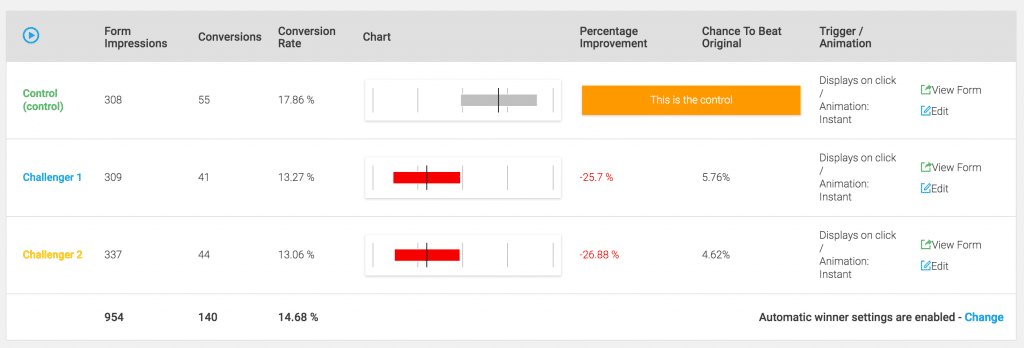
8. Thirsty Affiliates
Thirsty Affiliates is an affiliate link management for WordPress that helps you organize and cloak affiliate links.
It’s free, simple, fast and easy to use. There are also some premium add-ons to power it up.
9. SumoMe
SumoMe is a set of tools designed to grow your traffic. Some of my favorites are:
- Google Analytics Dashboards – Similar to Yoast, you can quickly have a glance at how your site is performing with this one
- Welcome Mat – this newly launched feature will help turn any page into an email magnet by displaying a full-screen call to action when a new visitor lands on your site.
- Image Sharer – When enabled, this will display a few sharing buttons when you hover over any image.
- Social Sharing Bar – Better than any options available, this floating bar can help you increase social sharing from visitors.
10. Duplicator

This plugin gives you the ability to migrate, copy or clone a site in just a few clicks.
There’s not much to say about Duplicator. It just works!
My developer also use this to perform regular backups for my websites.
11. WP Limit Login Attempts

This plugin adds a layer of protection to your blog by blocking an IP from making further login attempts after a specified limit on retries is reached.
This prevents your site from all brute-force attacks.
12. Comment Redirect by Yoast
As the name implies, this plugin automatically redirects first-time commenters to a page of your choice.
I usually send them to a welcome page with an optin form to make a good first impression and convert them into email subscribers at the same time.
13. Reply Me
This plugin shows a checkbox that allows people to get notified by emails when anyone replies to their comments.
It’s simple but it helps a lot to increase return visitors to your blog.
14. Ad Inserter
This plugin makes it very easy to insert ads or any HTML/Javascript/PHP code anywhere on your website.
It also has many additional options, which you can read more about in the plugin directory page.
Conclusion
Plugins can make WordPress even more powerful, but they can also slow down your site or create conflicts, so you should be careful when installing new ones.
Above are the 14 essential plugins that I always use and they work great together to make my sites faster, more SEO-friendly, and convert better.
What are your set of favorite WordPress plugins? Do you want to add any to this list?
Feel free to let me know in the comment section.
Content retrieved from: https://www.cloudliving.com/powerful-wordpress-plugins/.
Add a Table of Contents and In-Post Pagination to WordPress
Posted on August 18th, 2018
As a webmaster, some of your goals are likely to be increasing the number of pages a visitor views on your site per visit, as well as increasing the time they spend on your site. Increasing both of these metrics can benefit your site in a number of ways.
As Google can use these metrics to evaluate how useful and relevant your content is to your readers, it can have a positive effect on the ranking of your site in the search engine results pages. This can in turn increase the number of visitors to your site.
By adding a table of contents to the start of your posts, you can easily convey to your readers just what is covered in the post, and if necessary allow them to jump to the most relevant part. This is a great way to decrease the likelihood that the user might bounce back to the search engine results page after landing on your site. By being able to quickly see what is in front of them via the contents, they can immediately determine how useful the content is to them.
Another way to increase the page views per visitor is to divide your content up into smaller chunks. By paginating your posts, or dividing them into pages, you can increase the pages a visitor views during their visit, which again reduces the bounce rate in the eyes of Google and can have a positive effect on how they evaluate the relevance and quality of your site, therefore ranking it more positively in their results pages.
If you sell advertising space on your website, then increasing these metrics can also help you increase the amount you can charge. Low bounce rates and a high number of page views per visitor can all increase the attractiveness of your site to potential sponsors and advertisers, or even if you ever decide to sell your website.
Adding a Table of Contents to WordPress
Adding a table of contents to your longer WordPress posts not only makes it easier for your visitors to navigate a long piece of content, but it also shows them exactly what your will be covering and what they will learn as soon as they hit your page.
Another advantage of adding a linked table of contents that allows users to quickly ump to the part they are most interested in, is that it makes it easy for you and your readers to directly link to a specific part of your posts. Instead of just providing a link to the post, it is possible to link to a specific paragraph using the table of contents anchor links. This can make your content more sharable, increasing visitors to your site.
[video_page_section type=”youtube” position=”default” image=”http://track-n-test.com/wp-content/uploads/2018/08/youtube-banner1.jpg” btn=”light” heading=”” subheading=”” cta=”” video_width=”1080″ hide_related=”true” hide_logo=”false” hide_controls=”false” hide_title=”false” hide_fullscreen=”false”]https://www.youtube.com/watch?v=ZbUoJ_7DLZk[/video_page_section]
The Best Table of Contents Plugin
If you were building your website by hand, writing the underlying HTML, then you would have to create anchor links throughout your document, and then create the list of contents and link each one to those anchor points. This could quickly get time consuming as the number of pages on your site grows.
Thankfully for WordPress users there is a very handy free table of contents plugin that makes adding this feature to your content a very hands off and automated affair. That plugin is the aptly named Table of Contents Plus and while there are other options, this is a good choice with over 48,000 downloads and a very respectable 4.8 out of 5 star rating, not to mention its great features and ease of use.

To install the plugin, just login to your WordPress admin dashboard, click on Plugins > Add New and search for Table of Contents Plus. It should be the first result returned so click on Install Now and then activate the plugin.
Creating a Table of Contents
The way the plugin works is to scan your posts and pages, looking for headers. If the plugin detects more than a set number of headings, it will then create a table of contents (TOC) for your post.
The settings page for the plugin can be found under the Settings sidebar menu then clicking on TOC+. From here you can set the number of headings required in a document to show the TOC. You can also set the position of the TOC and choose which content types automatically get a TOC, by default just pages is selected. The plugin can also be configured to show a custom header above each TOC.
Other settings and features of TOC+:
- Add show/hide controls for the TOC
- Use a hierarchical structure based on different heading types (H2, H3, etc.)
- Number list the items
- Smooth scroll rather than jump to the section of the page
- Set the width, font size, and direction of text wrapping
- Choose a colour theme or create your own
- Select which headings to include (H1, H2, etc.)
- Disable for individual pages using a shortcode
- Disable for specific headers or those containing a certain word
- Display the TOC in the sidebar using the widget
For a free plugin, this one is really feature packed and covers every eventuality that might occur when configuring your TOC.
[video_page_section type=”youtube” position=”default” image=”http://track-n-test.com/wp-content/uploads/2018/08/youtube-banner1.jpg” btn=”light” heading=”” subheading=”” cta=”” video_width=”1080″ hide_related=”true” hide_logo=”false” hide_controls=”false” hide_title=”false” hide_fullscreen=”false”]https://www.youtube.com/watch?v=oyDDowvVRvw[/video_page_section]
Add a Sitemap
Another interesting feature of this plugin is the ability to add a sitemap page to your site. This can be done simply by entering a shortcode into a post or page. By default, that page will then contain a big TOC of all the pages on your site.
The sitemap shortcode can be customised to also show the following:
- Posts – ordered by title, date, author, number of comments, ID, and more
- Category – lists categories instead of posts or pages
Adding a TOC to your posts and pages with this plugin couldn’t be any easier. If you are writing long posts for your site, this plugin comes highly recommended.
Table of Contents Plus
Adding Pagination to a WordPress Post
WordPress already uses pagination to make it easier for your visitors to navigate their way through your published content. This feature allows you to show a set number of posts on a page, and then display a link to view the next set of posts. This is instead of simply showing a huge list of all your site’s posts.
This same principle can be applied to long form content in WordPress, such as in-depth posts and pages. This can make it easier for your readers to consume your content as they can work their way through the page in a more step by step manner. It also allows you or your readers to link directly to a specific sub-page of the post.
The easiest way to start dividing your posts up into more manageable chunks is to simply add the following into your content at the point you would like to start the next page:
<!––nextpage––>
Please note this must be done when using the Text view of the post editor:
While this does work, some themes might not display the required links to the next page. If this is the case for your theme, either upgrade to a better theme, or edit your single.php file to include <?php wp_link_pages(); ?> (more info here).
As anyone who has tried to add more ‘advanced’ features to their posts, switching from Visual to Text view can cause problems with formatting. Using the manual approach to post pagination also means that you have to consciously remember to add pagination to each post. A better way for you and your site might be to use a post pagination plugin.
The Best In-Post Pagination Plugin for WordPress
Like adding a table of contents to your site, an easier and more feature rich way to enable post pagination can be to use a plugin. When it comes to automatically paginating your posts and splitting them into multiple pages, there aren’t many options. The best one seems to be Automatically Paginate Posts which auto-inserts the required tag into your content.
After installing the plugin, its settings are added to the reading page (Settings > Reading). From here you can choose which post types will be automatically paginated and also set the number of pages each post will be divided into.
The plugin can be overridden when creating a new post or page by using the metabox that is added to the post editor screen. If enabled, the plugin will add some links to the end of your post which allows the user to move onto the next part.
If you want to use the manual method for adding pagination, by inserting the next page tag, then it will disable auto-pagination for that post. This is handy if you want to ensure that your content is divided in a more meaningful way and doesn’t separate parts of the post that should be on the same page, such as a paragraph and its associated image.
The Atomically Paginate Posts plugin isn’t ideal as it will break up a post no matter how long it is. This can be annoying for the reader if they have to click after every few lines which would happen on a short post. It would be nice if the settings allowed you to divide the posts after a set amount of words, rather than setting the number of pages a post must be divided up into. However, you can disable the plugin at the individual post level which is a good idea for short posts.
Conclusion
Adding a table of contents to your posts and pages and also breaking them up into more manageable chunks with in-post pagination is a great way to make your content more manageable and easy to consume.
Adding in a table of contents makes it very easy for you and your readers to directly link to a relevant part of the page, thanks to the way the table of contents plugin adds anchor links into posts. This can help make your content more sharable as a reader can link straight to the point they are referencing in their own blog posts or social media posts.
In-post pagination is also a great way to increase your page views and reduce bounce rate. This can have a positive effect on your sites SEO rating as it shows to Google that your readers stick around for longer and do more than check out the page they land on before bouncing straight back to the search results.
Have you implemented tables of contents or in-content pagination on your site and did you notice any increase in visitor engagement?
Content retrieved from: https://www.wpsquared.com/add-a-table-of-contents-and-in-post-pagination-to-wordpress/.